
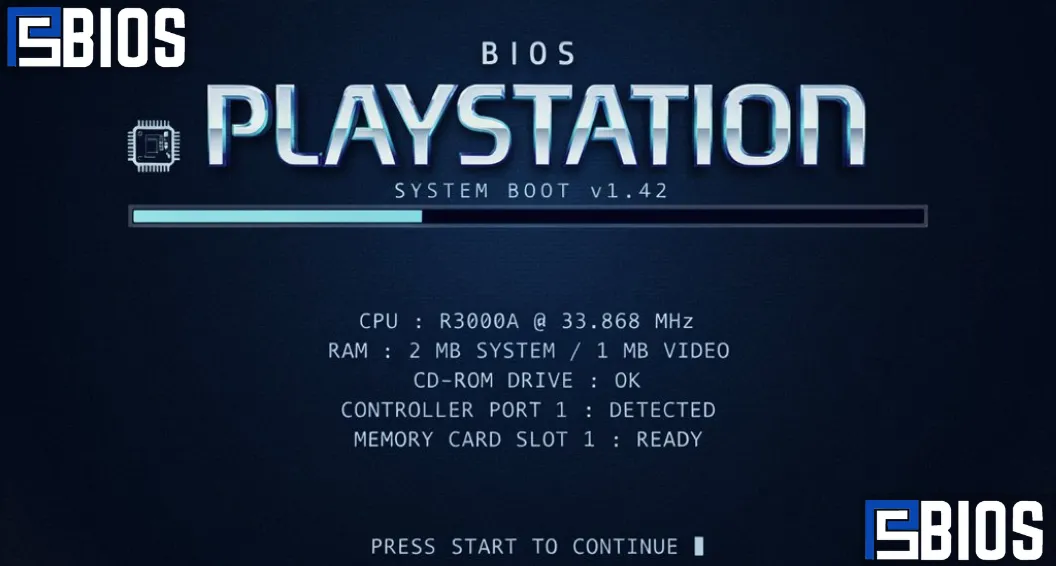
The BIOS PS1 is a crucial component for playing classic PlayStation 1 games on modern devices through emulation. It acts as the system firmware that helps emulators accurately replicate the original console’s behavior, ensuring better compatibility, stable performance, and an authentic gameplay experience across platforms like Windows, Android, macOS, and Linux. While some emulators can run without it using built-in HLE BIOS, using an official PS1 BIOS is widely recommended for improved game accuracy, sound quality, and visual performance.
What Is BIOS PS1?
The BIOS PS1 is the internal firmware that ships with every original Sony PlayStation console. BIOS stands for Basic Input/Output System, and it acts as the bridge between the console hardware and the software being executed. Every time a PlayStation is powered on, the BIOS is the very first program that runs before any game begins loading.
Unlike game discs, the BIOS is permanently stored on a chip inside the PlayStation motherboard. Its job is to initialize the console’s hardware, verify system components, communicate with controllers and memory cards, and prepare the optical drive to read game discs. Without these instructions, the console would not know how to start or load software correctly.
When using a BIOS emulator, PS1 emulators replicate the same startup process by loading a BIOS file before launching a game. This allows the emulator to behave much more like a real PlayStation console.
The BIOS performs several important tasks, including:
- Initializing the CPU and system memory.
- Detecting controllers and accessories.
- Reading PlayStation game discs.
- Managing memory cards.
- Loading system functions.
- Verifying regional compatibility.
- Displaying the original PlayStation boot logo and startup sound.
- Providing low-level hardware communication for games.
Because many PlayStation games were designed to communicate directly with the BIOS, using the original firmware often results in better accuracy than relying on an HLE BIOS.
Another reason the BIOS PS1 remains important is that some titles use hardware-specific routines during gameplay. Authentic firmware ensures these routines behave exactly as intended, reducing crashes, missing graphics, or audio synchronization problems.
Why Is BIOS PS1 Important?
The importance of the BIOS PS1 goes beyond simply allowing games to start. It significantly affects compatibility, stability, and overall emulation accuracy.
Although modern emulators continue to improve, they cannot perfectly reproduce every aspect of the original PlayStation hardware without using the console’s firmware. That is why many emulator developers recommend pairing their software with an authentic BIOS whenever possible.
Key advantages of using an original bios PS1 include:
- Improved compatibility with thousands of PlayStation titles.
- More accurate hardware emulation.
- Correct PlayStation startup animation.
- Better synchronization of music and sound effects.
- More reliable memory card support.
- Reduced graphical glitches.
- Improved controller compatibility.
- Greater overall stability.
Another benefit is regional compatibility. Many players use a PS1 USA BIOS when playing North American game releases because it matches the region of the original discs. Likewise, European and Japanese games often perform best with BIOS files from their respective regions.
Users configuring DuckStation PS1 BIOS or RetroArch often notice that authentic firmware reduces random crashes and improves loading times for certain games. While the difference may not be obvious in every title, it becomes more noticeable in games that rely heavily on the console’s original hardware behavior.
For preservation enthusiasts, the BIOS also provides an authentic gaming experience by reproducing the exact startup sequence that millions of players enjoyed during the PlayStation’s golden era.
How Does a PS1 BIOS Work?
Every PlayStation follows a specific boot process controlled by the BIOS. Understanding this process helps explain why the firmware is such a crucial part of PlayStation emulation.
When you press the power button on a PlayStation, the BIOS immediately begins executing instructions stored inside the console’s ROM chip.
The startup process generally follows these steps:
- The BIOS powers on the hardware.
- System memory is initialized.
- Internal hardware components are tested.
- Controllers are detected.
- Memory cards are checked.
- The CD-ROM drive begins spinning.
- The game disc is verified.
- Regional security checks are performed.
- Game data is loaded into memory.
- Gameplay begins.
Emulators recreate this same sequence by loading a BIOS file before the game launches.
Without a proper BIOS, some games may still run using High-Level Emulation, but certain low-level hardware functions may not behave exactly like the original console. This can lead to graphical artifacts, missing sound effects, freezes, or compatibility issues.
Modern emulators such as DuckStation have significantly improved HLE support, yet many enthusiasts still prefer authentic firmware because it delivers the closest possible recreation of the original PlayStation hardware.
Types of PS1 BIOS
Sony released several BIOS revisions throughout the PlayStation‘s lifespan. These versions were designed for different hardware revisions and geographic regions.
Although the differences between BIOS versions are relatively small, choosing the correct firmware can improve compatibility with certain games.
The most common regional BIOS categories include North America, Europe, and Japan.
North America (NTSC-U)
The PS1 USA BIOS is designed for PlayStation consoles sold in the United States and Canada.
Many English-language PlayStation games were developed specifically for this region. As a result, users playing NTSC-U game discs often achieve the best compatibility by using a matching BIOS.
Popular North American BIOS versions include:
- SCPH1001
- SCPH5501
- SCPH7001
- SCPH7501
Among these, PS1 BIOS SCPH1001 remains one of the most widely recognized BIOS versions because of its excellent compatibility with a broad range of games and emulators.
Another highly recommended option is PS1 BIOS SCPH5501, which introduced minor improvements over earlier firmware revisions while maintaining excellent stability.
Many users searching for USA PS1 bios are specifically looking for these two versions due to their proven reliability.
Europe (PAL)
European PlayStation consoles use PAL firmware.
These BIOS versions were developed for countries that operated using the PAL television standard, including the United Kingdom, Germany, France, Italy, Spain, and many others.
Popular PAL BIOS versions include:
- SCPH1002
- SCPH5502
- SCPH7002
- SCPH7502
If you plan to emulate European game releases, selecting the matching BIOS generally provides the most accurate timing and compatibility.
Japan (NTSC-J)
Japanese PlayStation consoles include BIOS versions designed for NTSC-J software.
Common Japanese BIOS revisions include:
- SCPH1000
- SCPH3000
- SCPH3500
- SCPH5500
- SCPH7000
These BIOS versions are primarily recommended for Japanese-exclusive games and imports.
Because many classic PlayStation titles were first released in Japan, enthusiasts often keep multiple BIOS versions available to maximize compatibility across different regions.
Which PS1 BIOS Is Best?
One of the most common questions among emulator users is deciding which PS1 BIOS to use. The answer depends largely on the games you intend to play and the emulator you are using.
In general, the most trusted BIOS versions include:
| BIOS Version | Region | Compatibility | Recommended |
| SCPH1001 | USA | Excellent | ⭐⭐⭐⭐⭐ |
| SCPH5501 | USA | Excellent | ⭐⭐⭐⭐⭐ |
| SCPH1002 | Europe | Excellent | ⭐⭐⭐⭐⭐ |
| SCPH5502 | Europe | Excellent | ⭐⭐⭐⭐⭐ |
| SCPH5500 | Japan | Excellent | ⭐⭐⭐⭐ |
| SCPH7001 | USA | Very Good | ⭐⭐⭐⭐ |
Among all available versions, PS1 BIOS SCPH1001 continues to be one of the most recommended options because it works exceptionally well with nearly every major emulator.
Likewise, PS1 BIOS SCPH5501 is frequently suggested for users who want maximum compatibility with North American releases.
If you are setting up a PS1 BIOS file for DuckStation, either SCPH1001 or SCPH5501 is generally an excellent choice. Both versions perform reliably and are widely recognized by DuckStation.
Similarly, RetroArch users often configure these BIOS versions when setting up the PS1 BIOS for RetroArch because they provide stable performance across multiple cores.
Ultimately, the best BIOS is the one that matches both your game’s region and your emulator‘s recommendations. Many advanced users maintain several regional BIOS files so they can switch between them depending on the game being played.
PS1 BIOS File Names
When configuring a PlayStation emulator, you may encounter several different BIOS filenames. These names usually correspond to specific PlayStation hardware revisions and regions.
Some of the most common BIOS filenames include:
- scph1000.bin
- scph1001.bin
- scph1002.bin
- scph3000.bin
- scph3500.bin
- scph5500.bin
- scph5501.bin
- scph5502.bin
- scph7000.bin
- scph7001.bin
- scph7002.bin
- scph7501.bin
- scph7502.bin
Most emulators automatically detect these files once they are placed in the correct BIOS directory.
For example, users configuring DuckStation BIOS PS1 typically store these files in the emulator’s BIOS folder before selecting the appropriate firmware in the settings menu. Likewise, RetroArch scans designated system folders for supported BIOS filenames when launching PlayStation cores.
Organizing BIOS files by region and keeping their original filenames helps avoid detection problems and ensures smoother emulator configuration.
Popular PS1 Emulators That Use BIOS
Modern PlayStation emulators vary in features, compatibility, and performance, but many of the best options support authentic BIOS files for improved accuracy.
Some of the most popular emulators include:
DuckStation
DuckStation has become one of the leading PlayStation emulators thanks to its modern interface, high compatibility, and excellent performance. It supports hardware rendering, texture enhancements, widescreen hacks, save states, and accurate emulation.
Many users prefer a PS1 DuckStation BIOS setup because DuckStation automatically detects compatible firmware and makes configuration straightforward.
RetroArch
RetroArch is a powerful multi-system frontend that supports numerous emulator cores. With the correct PS1 BIOS for RetroArch, users can enjoy accurate PlayStation emulation alongside dozens of other classic gaming systems.
ePSXe
ePSXe remains one of the most recognized PlayStation emulators ever released. Although its development has slowed, it still offers solid compatibility and remains popular among longtime emulator users.
Mednafen
Mednafen focuses on hardware accuracy rather than flashy graphics enhancements. It is widely respected for faithful PlayStation emulation and works exceptionally well with authentic BIOS files.
XEBRA
XEBRA is designed for maximum compatibility with difficult-to-emulate PlayStation titles and is often recommended for games that experience issues on other emulators.
PCSX Reloaded
PCSX Reloaded continues the legacy of one of the earliest PlayStation emulators. While newer alternatives have largely surpassed it, some users still appreciate its simplicity.
Regardless of which emulator you choose, pairing it with the appropriate BIOS for the PS1 emulator generally provides the most authentic and stable gaming experience.
Conclusion
The BIOS PS1 is a key part of accurate PlayStation 1 emulation, offering better compatibility, stability, and an authentic gaming experience. Whether you’re using DuckStation, RetroArch, or another emulator, choosing the correct BIOS and configuring it properly helps ensure smoother gameplay and reliable performance while preserving the original feel of the classic PS1.
Frequently Asked Questions
1. What is BIOS PS1?
BIOS PS1 is the firmware built into the original PlayStation 1 console. It initializes the hardware and helps emulators accurately recreate the console’s behavior for improved game compatibility.
2. Which PS1 BIOS should I use?
For most users, SCPH1001 (USA) and SCPH5501 (USA) are the most recommended BIOS versions due to their excellent compatibility with popular emulators like DuckStation and RetroArch.
3. Do I need a PS1 BIOS to use an emulator?
Some emulators can run games using an HLE BIOS, but using an original BIOS PS1 generally provides better compatibility, fewer bugs, and a more authentic gaming experience.
4. Is it legal to download a PS1 BIOS?
The PlayStation BIOS is copyrighted software. The safest and most legally sound approach is to dump the BIOS from a PlayStation console you personally own rather than downloading it from unauthorized sources.
5. How do I install a PS1 BIOS in DuckStation?
Copy your BIOS file into DuckStation’s BIOS folder, open the emulator settings, select the BIOS directory, choose the detected BIOS, save the settings, and restart the emulator if needed.
