
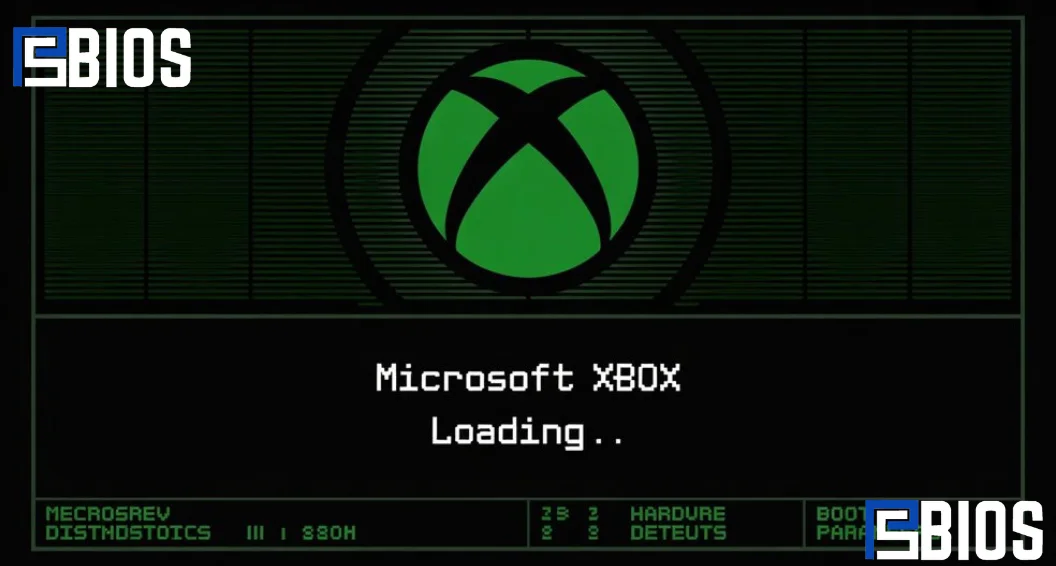
The Xbox BIOS is the firmware that allows the original Xbox console to boot and communicate with its hardware. It plays a critical role in startup operations, security checks, and game compatibility. For emulator users, Xbox BIOS files can improve accuracy and stability, especially when using emulators such as xemu. This guide explains how Xbox BIOS works, the different versions available, compatibility requirements, emulator usage, common problems, and best practices for preserving the original Xbox gaming experience.
What Is an Xbox BIOS?
Understanding BIOS Technology
The Xbox BIOS is a firmware component that controls the startup process of the original Xbox console. BIOS stands for Basic Input/Output System and serves as the communication layer between hardware and software.
Unlike regular applications, the Xbox-BIOS starts running immediately after the console powers on. It checks hardware functionality and prepares the system for loading the Xbox dashboard and games.
Main Functions of Xbox BIOS
The Xbox-BIOS performs several essential tasks:
- Initializes hardware components
- Checks the system memory
- Verifies storage devices
- Loads the operating system
- Manages security functions
- Launches the Xbox dashboard
Without a functioning Xbox BIOS, the console cannot complete its startup sequence.
Does the Original Xbox Have a BIOS?
The original Xbox contains firmware that performs BIOS-like functions similar to those found in personal computers. This firmware controls startup operations and system initialization, making it a critical part of the console architecture.
Why Is Xbox BIOS Important?
Hardware Initialization
Every Xbox component must be detected and initialized before the operating system loads. The Xbox BIOS handles this process automatically.
Security Verification
The Xbox BIOS helps prevent unauthorized software from running by performing security checks during startup.
Operating System Loading
After startup checks are completed, the Xbox BIOS loads the system software and dashboard environment.
Impact on Gaming Performance
Although players rarely interact directly with the Xbox BIOS, it influences system stability and overall performance.
Xbox BIOS and Emulation
Why Emulators Use Xbox BIOS
Xbox emulators attempt to recreate the behavior of original Xbox hardware. Because the Xbox BIOS contains important startup instructions, it can improve emulation accuracy.
Benefits include:
- Better compatibility
- Improved stability
- Accurate hardware behavior
- Reduced game crashes
- Enhanced user experience
Do You Need Xbox BIOS for xemu?
Many Xemu configurations rely on Xbox BIOS files and related firmware components to accurately emulate original Xbox hardware.
Using the correct Xbox BIOS can improve:
- Startup reliability
- Hardware emulation accuracy
- Game compatibility
- Dashboard functionality
Best Xbox BIOS for xemu
Most users prefer official retail Xbox-BIOS versions because they offer the highest compatibility with commercial games.
Popular choices include:
- Retail 1.0 BIOS
- Retail 1.6 BIOS
- MCPX boot ROM combinations
The ideal choice depends on the specific Xemu configuration being used.
Types of Xbox BIOS
Retail BIOS
Retail BIOS versions are the official firmware releases included with standard Xbox consoles.
Benefits include:
- High compatibility
- Stable performance
- Official security checks
- Authentic Xbox experience
Modified BIOS
Modified BIOS versions were created by the Xbox modding community.
Features often include:
- Homebrew support
- Region-free gaming
- Larger hard drive support
- Advanced customization
Custom BIOS
Custom BIOS releases are designed for specific use cases.
Advantages may include:
- Faster boot times
- Enhanced recovery options
- Additional configuration settings
- Expanded functionality
How Xbox BIOS Works
Startup Sequence
When power is applied, the Xbox BIOS begins a predefined startup sequence.
The process includes:
- Power-on initialization
- Hardware detection
- Memory testing
- Security verification
- Dashboard loading
System Checks
The Xbox-BIOS verifies that all required hardware is functioning properly before continuing.
Operating System Launch
After successful checks, the BIOS transfers control to the Xbox operating system.
Can You Enter the Xbox BIOS?
Unlike traditional PC systems, the original Xbox does not provide a standard BIOS setup screen that users can access by pressing a keyboard key during startup.
Most BIOS interactions occur through:
- Modchips
- Custom dashboards
- Firmware tools
- Recovery utilities
For standard retail consoles, the BIOS remains hidden from everyday users.
Common Xbox BIOS Features
- Dashboard Loading: The Xbox-BIOS launches the system dashboard that users interact with.
- Hardware Communication: The BIOS coordinates communication between hardware components.
- Security Management: Security verification helps prevent unauthorized software from running.
- Recovery Functions: Some modified BIOS versions include recovery tools that assist with troubleshooting.
Xbox BIOS Compatibility
Hardware Revisions
Different Xbox hardware revisions may require specific BIOS versions.
Emulator Compatibility
Not every BIOS works equally well with every emulator.
Compatibility factors include:
- Emulator version
- BIOS revision
- Dashboard version
- Game requirements
Storage Support
Some BIOS versions provide enhanced support for upgraded hard drives.
xemu vs cxbx-Reloaded
xemu Advantages
Xemu is known for:
- Hardware accuracy
- Broad game support
- Active development
- Authentic emulation
cxbx-Reloaded Advantages
cxbx-Reloaded offers:
- Direct software translation
- Strong Windows integration
- Good performance for certain games
Which Emulator Is Better?
Neither emulator is universally superior.
Many players prefer xemu for authenticity, while others choose cxbx-Reloaded for specific titles. Testing both often provides the best results.
BIOS vs UEFI
What Is BIOS?
Traditional BIOS technology has existed for decades and relies on older firmware standards.
What Is UEFI?
UEFI is a modern firmware system designed to replace traditional BIOS.
Benefits of UEFI include:
- Faster startup
- Improved security
- Larger storage support
- Modern hardware compatibility
Which Is Better?
For modern computers, UEFI generally provides more features and better security than traditional BIOS systems.
However, the Xbox-BIOS remains appropriate for the hardware architecture it was designed to support.
Consoles That Do Not Require Traditional BIOS Files
Many modern gaming consoles use integrated firmware systems rather than separate BIOS files.
Examples include:
- Newer Xbox consoles
- Modern PlayStation systems
- Nintendo Switch
Some emulators can replicate firmware behavior internally, reducing the need for separate BIOS files.
However, hardware accuracy may vary depending on implementation.
Common Xbox-BIOS Issues
Corrupted BIOS Files
Corruption can occur because of:
- Improper modifications
- Incomplete updates
- Storage failures
Boot Errors
Common symptoms include:
- Black screens
- Error messages
- Failed startup sequences
Emulator Problems
Incorrect BIOS files may cause:
- Crashes
- Compatibility issues
- Missing audio
- Graphical glitches
How to Fix Xbox BIOS Problems
- Verify BIOS Integrity: Always use verified firmware files from legitimate sources.
- Check Emulator Settings: Incorrect emulator configuration can cause BIOS-related issues.
- Update Software: Keeping emulator software updated can improve compatibility and performance.
- Create Backups: Before making modifications, create backups whenever possible.
Xbox BIOS Safety Considerations
- Use Legal Sources: Users should obtain BIOS files through lawful methods.
- Avoid Untrusted Downloads: Unknown sources may contain corrupted or malicious files.
- Follow Documentation: Reading emulator and firmware documentation helps prevent mistakes.
- Protect Original Hardware: Always create backups before modifying system firmware.
Advantages of Xbox-BIOS in Emulation
Using the proper Xbox-BIOS offers several benefits:
- Better compatibility
- Improved accuracy
- Authentic startup behavior
- Enhanced stability
- Greater preservation value
These advantages make Xbox-BIOS an important component for serious retro gaming enthusiasts.
Conclusion
The Xbox-BIOS remains one of the most important components of the original Xbox ecosystem. It manages startup procedures, hardware communication, security verification, and operating system loading. Whether you are maintaining original hardware, experimenting with modifications, or using emulators such as xemu, understanding Xbox-BIOS can significantly improve your gaming experience. By choosing compatible BIOS versions, following best practices, and using trusted resources, players can enjoy more accurate and reliable Xbox emulation in 2026 and beyond.
Frequently Asked Questions
Does the original Xbox have a BIOS?
Yes, the original Xbox uses a BIOS-like firmware that initializes hardware and starts the operating system.
Do I need an Xbox BIOS for xemu?
Yes, Xemu typically requires Xbox BIOS and firmware files for accurate emulation and better compatibility.
What is the best Xbox BIOS for Xemu?
Official retail Xbox BIOS versions are generally the best choice due to their stability and game compatibility.
Is Xemu better than Cbx-Reloaded?
Xemu is often preferred for accuracy, while cxbx-Reloaded may perform better with certain games.
Is BIOS better than UEFI?
UEFI is more advanced for modern PCs, but the Xbox BIOS is designed specifically for original Xbox hardware.
