
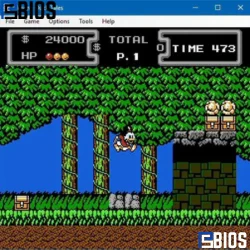
If you want one of the most accurate and powerful NES emulators available today, download Mesen. It is free, safe, and designed for precision gameplay with advanced debugging tools, HD packs, and smooth performance. While it mainly supports NES and Famicom systems, it stands out for accuracy and reliability. This guide explains everything—from features and legality to performance comparisons and emulator safety—so you can confidently use it.
What is Mesen Emulator?
Mesen is a highly advanced NES/Famicom emulator known for its exceptional accuracy and developer-friendly features. Unlike many basic emulators, it is designed to replicate original hardware behavior almost perfectly, making it ideal for both gamers and developers.
When you download the Mesen emulator, you get access to a tool that focuses on authenticity rather than just performance. This means games behave exactly as they would on original consoles, with minimal glitches or inconsistencies.
Key Highlights:
- Cycle-accurate emulation
- Advanced debugging tools
- Save states and rewind functionality
- HD graphics pack support
- Cross-platform compatibility
Mesen is not just another emulator—it’s widely considered one of the most accurate NES emulators ever built.
Features of Mesen Emulator
When you Download Mesen emulator, you unlock a wide range of powerful features that enhance both gameplay and development experience.
1. High Accuracy Emulation
Mesen replicates NES hardware behavior with incredible precision. This ensures:
- No graphical glitches
- Proper sound emulation
- Accurate timing for games
2. HD Packs Support
You can enhance classic NES games with high-definition textures and improved visuals.
3. Debugging Tools
Mesen includes professional-grade tools like:
- Memory viewer
- Breakpoints
- Code/data logger
These are especially useful for developers and ROM hackers.
4. Save States & Rewind
- Save your progress anytime
- Rewind gameplay to fix mistakes
5. Cross-Platform Support
Available on:
- Windows
- Linux
This flexibility makes it accessible to a wide audience.
Is Mesen Free and Safe?
Yes, Mesen is completely free and open-source. You can safely download the Mesen emulator without worrying about hidden costs or malware.
Safety Overview:
- Open-source (transparent code)
- No bundled ads or spyware
- Trusted by gaming communities
As long as you download it from official sources, it is one of the safest emulators available.
What Can Mesen Emulate?
Mesen primarily focuses on NES and Famicom systems. It is not a multi-console emulator.
Supported Systems:
- Nintendo Entertainment System (NES)
- Famicom (Japanese NES)
Not Supported:
- Game Boy Advance (GBA)
- SNES (Super Nintendo)
- PlayStation or newer consoles
So, if you’re planning to emulate GBA or SNES games, you will need a different emulator.
Performance and FPS Comparison
One of the main reasons users download the Mesen emulator is its balance between accuracy and performance.
FPS Performance:
- Stable 60 FPS for NES games
- Minimal lag on low-end PCs
However, if your main goal is extremely high FPS across modern games, other emulators may perform better due to a lower accuracy focus.
High FPS Emulators (General):
- PPSSPP (for PSP)
- Dolphin (for GameCube/Wii)
- BlueStacks (for Android apps)
Mesen focuses more on accuracy than raw FPS, which is actually better for retro gaming authenticity.
Comparison with Other Emulators
Mesen vs BlueStacks
- Mesen: NES-focused, lightweight, accurate
- BlueStacks: Android emulator, heavier, used for mobile apps
BlueStacks is legal and widely used, but it requires more system resources. Also, 4GB RAM is usually enough for basic usage, though 8GB is recommended for smoother performance.
Mesen vs Dolphin
- Mesen: NES emulator
- Dolphin: GameCube and Wii emulator
Dolphin is legal, but downloading copyrighted ROMs is not.
Mesen vs PCSX2
- Mesen: 8-bit NES games
- PCSX2: PlayStation 2 emulator
PCSX2 is legal, but BIOS files must be obtained legally.
Emulator Legality Explained
Emulators themselves are legal in most countries. When you download the Mesen emulator, you are not breaking any laws.
What’s Legal:
- Using emulators
- Creating your own games
- Playing games you legally own
What’s Not Legal:
- Downloading pirated ROMs
- Distributing copyrighted games
Are ROMs and EmuGames Legal?
This is where things get tricky.
- ROMs are only legal if you own the original game
- Downloading games from random websites is usually illegal
ROM hacks exist in a gray area. They are often legal if they don’t include copyrighted data.
Accuracy of Mesen Emulator
Mesen is widely praised for its accuracy. It closely mimics real NES hardware behavior.
Why Accuracy Matters:
- Prevents glitches
- Ensures proper game timing
- Improves overall experience
Among NES emulators, Mesen is often ranked as the most accurate.
SNES, GBA, and Other Consoles Explained
To avoid confusion:
- NES = 8-bit system
- SNES = 16-bit system
- GBA = 32-bit system
Mesen does NOT emulate SNES or GBA. You’ll need separate emulators for those.
Emulator Safety: Which One is the Safest?
When choosing an emulator, safety is a top concern.
Safest Emulators:
- Mesen (for NES)
- Dolphin (for GameCube/Wii)
- PCSX2 (for PS2)
Mesen stands out because:
- It’s open-source
- No ads or malware
- Community verified
Can Viruses Escape Emulators?
Generally, emulators like Mesen are safe. However:
- Malware can come from infected ROM files
- Android emulators like BlueStacks are sandboxed, so viruses rarely escape
Always download ROMs and software from trusted sources.
Gaming Development and Emulation
Interestingly, emulators like Mesen are not just for playing games.
Can You Make Your Own NES Game?
Yes, you can create your own NES game using development tools and test it in Mesen.
Can a 12-Year-Old Create a Game?
Absolutely. Many beginners start young, using simple tools and tutorials.
Long Development Games
Some famous games took years to develop—sometimes up to 7 years or more.
Lost Games and Preservation
A surprising fact: a large percentage of old games are considered lost due to poor preservation.
Emulators like Mesen help preserve gaming history by allowing users to experience classic titles.
Why Are Emulators Sometimes Banned?
Emulators themselves are not usually banned. Restrictions happen because:
- Companies want to protect copyrights
- Piracy concerns
This is why legal use is important when you download the Mesen emulator.
Can You Run Emulators on iOS?
Running advanced emulators like PS2 on iOS is difficult due to restrictions. However:
- Some emulators are available through workarounds
- Performance may vary
MSI Emulator and Xenia Emulator
- MSI App Player is similar to BlueStacks (Android emulator)
- Xenia is an Xbox 360 emulator and is legal, but still in development
Conclusion
If you’re looking for a reliable, accurate, and safe NES emulator, you should definitely download the Mesen emulator.
It offers:
- Exceptional accuracy
- Smooth performance
- Advanced tools for developers
- Safe and free usage
While it doesn’t support modern consoles like PS2 or Xbox, it excels in what it is designed for—perfect NES emulation.
Whether you’re a retro gamer, developer, or enthusiast, Mesen is one of the best choices available today.
Frequently Asked Questions
1. Is it safe to download the Mesen emulator on my PC?
Yes, it is safe to Download Mesen emulator from official sources. It is open-source, free from malware, and trusted by users worldwide. Avoid third-party sites to ensure security and a clean installation
2. Does Mesen emulator support games other than NES?
No, Mesen only supports NES and Famicom systems. It does not run SNES, GBA, or PlayStation games. For other consoles, you will need different emulators designed for those specific platforms.
3. Why should I choose Mesen over other NES emulators?
When you Download Mesen emulator, you get high accuracy, smooth gameplay, and advanced tools. It closely mimics original NES hardware, making it one of the best choices for both gamers and developers.
4. Can low-end computers run the Mesen emulator smoothly?
Yes, Mesen is lightweight and runs smoothly on most low-end PCs. It delivers stable performance and consistent gameplay without requiring high system specifications.
5. Do I need BIOS files or special setup to use Mesen?
No, Mesen does not require BIOS files. After you Download Mesen emulator, you can easily load NES ROMs and start playing without complex setup or configuration.
