
The Dolphin Emulator is an excellent tool for playing classic Nintendo games from the GameCube and Wii on modern devices.
However, not every game file works smoothly with it. If you’re curious about which Dolphin ROMs are compatible, here’s a clear and updated breakdown in simple English as of 2025.
Compatible Dolphin ROMs File Extensions
Dolphin supports multiple ROM file types for both GameCube and Wii systems. Each format has its own purpose some preserve the original disc structure, while others focus on saving storage space.
| File Format | Use Case | Notes |
| .ISO | Full disc copy | The most stable and widely used |
| .GCM | GameCube-only format | Works like ISO |
| .NRG | Created with Nero software | Less popular but works |
| .CISO | Compressed ISO | Saves storage |
| .WBFS | Used for Wii backups | Compatible with Dolphin |
| .GCZ | Compressed by Dolphin | Fast load time and smaller size |
These Dolphin ROMs allow you to enjoy your favorite GameCube and Wii titles with enhanced graphics, smoother gameplay, and improved overall performance.
Legal & Hardware Considerations
Is Dolphin Emulator Legal?
Yes, the emulator itself is completely legal to use. However, running games you don’t personally own may violate copyright laws. Always review your local regulations. If you own the original disc, you may have the right to create a personal backup copy of the game.
Can I Use Dolphin for All Nintendo Titles?
Dolphin is designed exclusively to run GameCube and Wii games. It doesn’t support titles from other Nintendo systems like the Switch, DS, or NES.
Is Downloading GameCube ROMs Legal?
Downloading GameCube ROMs without owning the original disc is generally illegal and violates copyright laws. This could lead to legal issues, so it’s best to use ROMs made from your own game backups for safe and lawful use.
Why Is GameCube Tough to Emulate?
The GameCube used unique hardware, while PCs are built in a completely different way. Because of this, the emulator has to translate the game’s code in real time, which requires significant processing power and technical precision to perform correctly.
Connecting Other Consoles & Games
Can I Use GBA with Dolphin?
Dolphin supports linking compatible Game Boy Advance games with GameCube titles, just like the original consoles did. This feature helps unlock hidden content, bonus levels, or extra gameplay features that were part of the original connection.
Is Wii or GameCube Simpler to Emulate?
Usually, GameCube is easier to emulate. The Wii has more advanced hardware and requires higher system resources. However, both run smoothly if your computer has enough processing power and a capable GPU.
Will Dolphin Work with PS2 Files?
No, Dolphin cannot open or run PlayStation 2 ROMs. If you want to play PS2 games, use an emulator such as PCSX2, which is specifically designed for that system.
Tech Requirements
Do I Need a GPU for Dolphin?
Yes, a graphics card is important for Dolphin to perform well. You don’t need a high-end GPU, but having one improves speed, enhances visuals, and ensures smoother gameplay overall.
What’s an NKIT File?
An NKIT ISO is a compressed disc image format for Wii and GameCube ROMs. It keeps nearly all the original data but reduces file size to save space. Dolphin supports NKIT files, making them a convenient option for efficient storage.
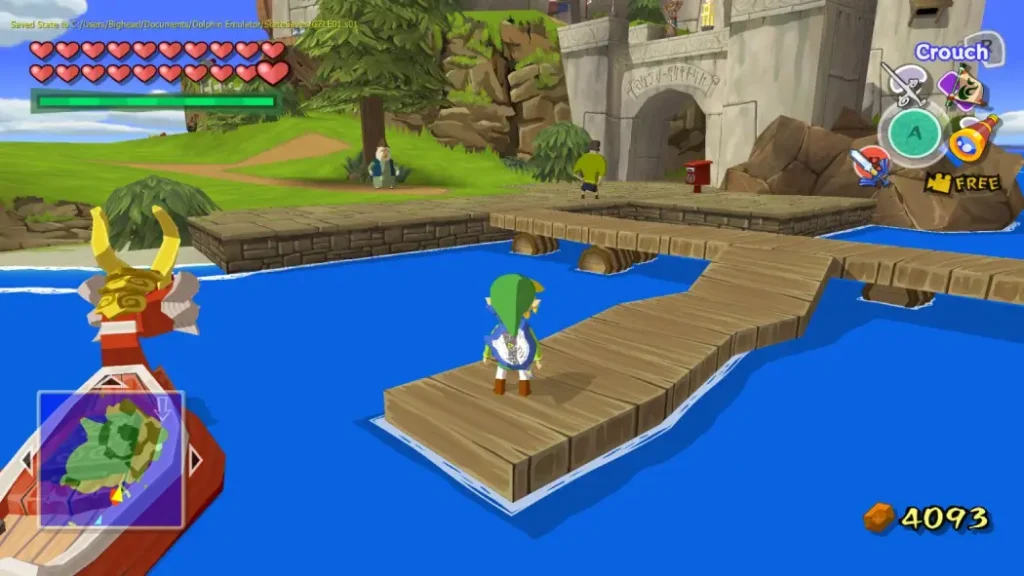
Where to Download GameCube ROMs: What You Should Know
Knowing where to download GameCube ROMs matters — but always do it legally. Downloading ROMs from unauthorized websites can violate copyright laws. You should only use backups created from discs you personally own.
Many people ask where to download GameCube ROMs safely, but the most reliable method is to dump your own game discs using proper tools. Avoid sites offering free ROM downloads, as they’re often illegal or unsafe.
| Source | Legal Status |
| Your own game backup | Usually allowed |
| Free ROM websites | Mostly illegal |
| Public domain games | Sometimes legal |
Always check the law before deciding where to download GameCube ROMs.
How to Add ROMs to Dolphin: Quick Setup?
Understanding how to add ROMs to Dolphin is simple and straightforward. Open the Dolphin Emulator and navigate to “Config” or “Paths.” Click “Add” and select the folder that contains your ROM files.
Once you’ve added the folder, Dolphin will automatically scan it and display all the supported games. Learning how to add ROMs to Dolphin not only makes setup easier but also helps you keep your game library organized. You can sort titles by name, system, or region for quick access.
| Step | Action |
| Open Dolphin | Launch the emulator |
| Go to “Paths” | Found under settings or config |
| Add ROM folder | Select the folder with game files |
Learning how to add ROMs to Dolphin ensures smooth access to your game collection.
Dolphin Emulator Games: What Can You Play Today?
You can enjoy a wide range of classic titles using the Dolphin emulator. The software efficiently runs both GameCube and Wii games on modern systems with smooth performance.
Some of the most popular Dolphin emulator games include platformers, racing games, and action-adventure titles. Players can also enhance visuals, apply cheats, and save their progress at any time for a better gaming experience.
| Console | Game Type Examples |
| GameCube | Adventure, Fighting, Racing |
| Wii | Puzzle, Sports, Platformers |
Always use your own disc backups when playing Dolphin emulator games to stay within copyright laws. With properly created ROM files, Dolphin emulator games can run smoothly even on budget-friendly PCs, offering a reliable and legal gaming experience.
Summary
| Question | Answer |
| Can Dolphin play ISO? | Yes |
| Does it support compressed files like WBFS? | Yes |
| Can it open .ZIP directly? | No, extract first |
| Can it load DS or PS2 ROMs? | No |
| Is using a Dolphin emulator legal? | Yes, but ROM use may not be |
| Do you need a graphics card? | Yes, for smoother performance |
| What format saves space? | CISO, GCZ, NKIT |
Final Words
Dolphin ROMs are available in several formats, including ISO, WBFS, and GCZ, allowing you to enjoy classic Nintendo titles with enhanced visuals and faster performance.
Always use ROMs legally and check that your device meets the necessary system requirements. Dolphin remains one of the best and most reliable ways to play GameCube and Wii games today.
Remember to support game developers by owning the titles you play on Dolphin. By following legal practices, you can enjoy retro gaming safely and without any concerns.
Frequently Asked Questions
What Platforms Can Dolphin Imitate?
Dolphin is designed exclusively for the Nintendo GameCube and Wii systems. It cannot open or emulate files made for PlayStation, Xbox, or other consoles such as the Nintendo DS.
Are GameCube Files Supported?
Yes, GameCube titles work extremely well on Dolphin. The emulator was originally built with GameCube support as its main focus, which is why performance and compatibility are excellent.
Can It Run Wii ROMs?
Yes, Wii game backups also run smoothly with Dolphin. The performance is on par with GameCube games, and you can even enhance the visuals through upscaling and graphic settings.
Is It Possible to Open Zipped Game Files?
Dolphin cannot load ZIP or RAR files directly. You’ll need to extract the files first using programs like 7-Zip or WinRAR. While some emulation front-ends such as RetroArch can handle compressed files, Dolphin itself requires extracted ROMs to work.
Can I Use Nintendo DS ROMs?
No, Dolphin cannot run Nintendo DS games. To play DS titles, you’ll need a dedicated emulator such as melonDS or DeSmuME.
How Can I Turn ZIP into ISO?
To convert a ZIP file into an ISO, first extract the ZIP using tools like 7-Zip or WinRAR. Inside, you may find compatible formats such as .ISO, .GCM, or .WBFS.
If you only see folders or disc contents, you can use software like ImgBurn or UltraISO to create a working ISO file from them.
