
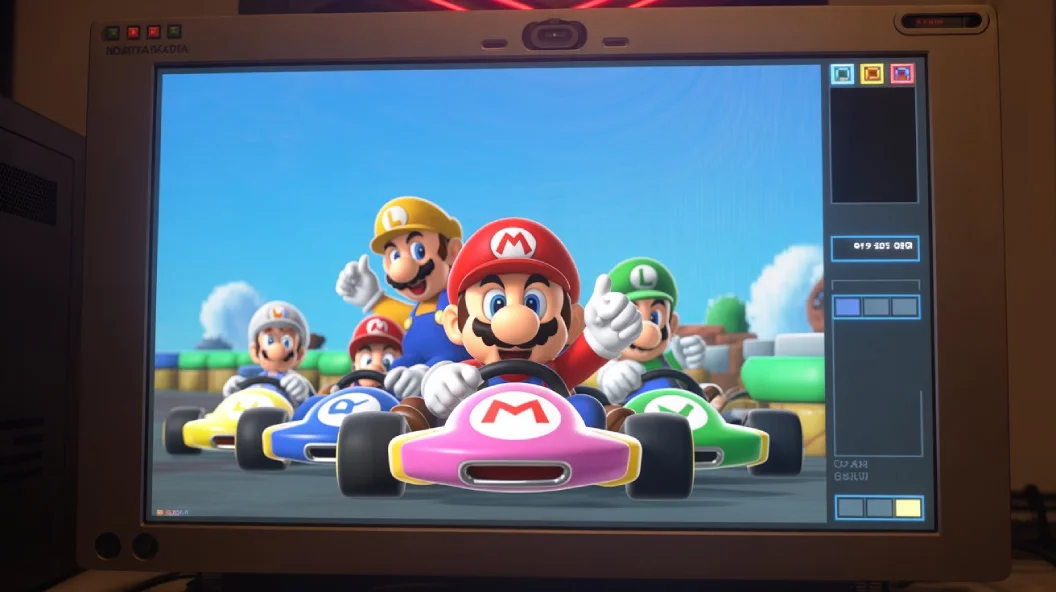
A Mario Kart 64 emulator lets you play the classic Nintendo 64 racing game on modern devices such as PCs, Macs, Android phones, and handheld systems. Recreating the original console’s hardware, it allows players to enjoy Mario Kart 64 without owning a Nintendo 64. Modern emulators offer improved graphics, customizable controls, save states, and better performance, making it easy to relive classic races and multiplayer battles. Whether you’re revisiting a childhood favorite or discovering the game for the first time, a Mario Kart 64 emulator provides a convenient way to experience one of the most iconic kart racers ever made.
What Is a Mario Kart 64 Emulator?
A Mario Kart 64 emulator is software designed to imitate the Nintendo 64 console. It creates a virtual environment that allows Nintendo 64 games to run on hardware that was never originally designed to support them.
The Nintendo 64 used a unique hardware architecture that modern computers and smartphones do not possess. Without emulation software, devices such as Windows PCs, MacBooks, Android phones, or gaming handhelds would not understand how to run Nintendo 64 games. The emulator bridges this gap by translating the game’s instructions into commands that modern hardware can process.
Think of an emulator as a virtual Nintendo 64 living inside your device. When you launch Mario Kart 64 through the software, the emulator recreates the console’s behavior, graphics processing, audio output, and controller inputs.
Modern emulators have become highly sophisticated. Early Nintendo 64 emulators often struggled with compatibility and performance, but today’s options can deliver gameplay that closely resembles or even improves upon the original experience.
Key Functions of an Emulator
- Simulates Nintendo 64 hardware.
- Loads compatible game ROM files.
- Supports keyboard and controller input.
- Enhances graphics and performance.
- Provides save states and customization options.
Beyond these core functions, many modern emulator applications include advanced features that were impossible on original hardware. These improvements help preserve classic games while making them more convenient for contemporary players.
Why People Use a Mario Kart 64 Emulator
Retro gaming has experienced a major resurgence in recent years. Players of all ages are rediscovering classic games that helped shape the industry, and Mario Kart 64 consistently ranks among the most popular titles.
One reason people choose a Mario Kart 64 emulator is accessibility. Not everyone has access to a functioning Nintendo 64 console. Hardware ages over time, and replacement parts can become difficult to locate. Emulation provides a practical alternative for preserving and enjoying older games.
Another important factor is convenience. Modern players often prefer gaming on devices they already own rather than purchasing additional hardware. Installing an emulator allows users to enjoy Mario Kart 64 on a laptop, desktop computer, smartphone, or gaming handheld.
Performance improvements also attract many users. Original Nintendo 64 hardware had limitations that modern devices can easily overcome. Higher resolutions, smoother visuals, customizable controls, and enhanced performance settings can significantly improve the gameplay experience.
Popular Reasons Include
- Playing classic games on modern devices.
- Improved graphics and resolution.
- Controller customization.
- Save-anywhere functionality.
- Multiplayer support.
- Access to retro gaming libraries.
Many players also enjoy using a Mario Kart 64 emulator because it allows them to preserve gaming history. Emulation ensures that classic titles remain playable even as original hardware becomes increasingly rare.
Features of a Good Mario Kart 64 Emulator
Not every emulator delivers the same experience. Some focus on simplicity and ease of use, while others prioritize advanced customization and performance enhancements.
Choosing a high-quality emulator can dramatically affect gameplay quality. A well-designed emulator should accurately reproduce the Nintendo 64 experience while offering modern improvements that enhance convenience and visual presentation.
High Compatibility
Compatibility refers to how accurately an emulator runs a particular game. A strong emulator should launch Mario Kart 64 without graphical glitches, crashes, missing textures, or audio problems.
Good compatibility ensures:
- Stable gameplay.
- Accurate game behavior.
- Proper audio playback.
- Reliable save functionality.
- Consistent frame rates.
The best emulators are frequently updated to improve compatibility with a wide range of Nintendo 64 titles.
Enhanced Graphics
One of the biggest advantages of using a Mario Kart 64 emulator is the ability to improve visual quality.
The original Nintendo 64 was designed for older televisions with significantly lower resolutions than modern displays. As a result, original graphics may appear blurry on contemporary screens.
Many emulators allow players to:
- Increase rendering resolution.
- Apply texture filtering.
- Enable anti-aliasing.
- Improve texture clarity.
- Use widescreen modes.
These enhancements can make Mario Kart 64 look cleaner and sharper while preserving its original art style.
Save States
Save states are among the most useful features available in modern emulators.
Unlike traditional save systems, save states capture the exact moment of gameplay. Players can instantly resume from that point later without restarting a race or tournament.
Benefits include:
- Faster progression.
- Easier practice sessions.
- Experimentation with strategies.
- Convenient gameplay on busy schedules.
Controller Support
A racing game feels best when played with a controller.
Most modern emulators support:
- Xbox controllers
- PlayStation controllers
- USB gamepads
- Bluetooth controllers
Players can customize button mappings to create a setup that feels natural and comfortable.
Performance Optimization
Different devices have different hardware capabilities. Advanced emulators provide settings that allow users to optimize performance according to their system specifications.
Optimization features often include:
- Frame rate adjustments.
- Graphics plugin selection.
- Audio configuration.
- Resolution scaling.
- Resource management options.
These settings help ensure smooth gameplay across a wide variety of devices.
Best Emulators for Mario Kart 64
Several Nintendo 64 emulators have established strong reputations among retro gaming enthusiasts. Each offers unique strengths depending on the player’s preferences and platform.
Project64
Project64 is one of the most recognized Nintendo 64 emulators available today. It has been a popular choice for years because of its balance between performance and ease of use.
Beginners often appreciate Project64 because it requires relatively little technical knowledge. Installation is straightforward, and the interface is easy to navigate.
Advantages
- User-friendly interface
- High compatibility
- Frequent updates
- Custom graphics settings
Project64 remains an excellent starting point for players who want a reliable Mario Kart 64 emulator without spending hours adjusting settings.
Mupen64Plus
Mupen64Plus is a powerful emulator known for flexibility and strong performance.
Unlike some beginner-focused alternatives, Mupen64Plus appeals to advanced users who enjoy tweaking settings and optimizing performance.
Benefits
- Open-source software
- Strong plugin support
- Cross-platform compatibility
- Excellent game performance
Its open-source nature has helped create a large community that continually improves the software.
RetroArch
RetroArch is not just a Nintendo 64 emulator. Instead, it serves as a unified platform that supports multiple gaming systems through specialized emulator cores.
This approach makes RetroArch especially appealing to gamers interested in preserving entire retro gaming collections.
Features
- Unified interface
- Controller configuration tools
- Online features
- Advanced graphical enhancements
Players who enjoy games from multiple classic systems often find RetroArch to be a convenient all-in-one solution.
OpenEmu
Mac users frequently choose OpenEmu because it integrates smoothly with the macOS environment.
The software emphasizes simplicity while maintaining strong Nintendo 64 compatibility.
Benefits
- Clean interface
- Excellent library management
- Smooth Nintendo 64 support
OpenEmu helps organize game collections in a visually appealing format that resembles modern media libraries.
How to Set Up a Mario Kart 64 Emulator
One reason emulation has become so popular is that the setup process is easier than many people expect. Most users can begin playing within a short period of time after installation.
Step 1: Download an Emulator
Select an emulator that matches your operating system and experience level. Beginners often prefer software with a simple installation process, while advanced users may seek additional customization features.
Step 2: Install the Software
Follow the installation instructions provided by the emulator developer. Most modern emulators can be installed in just a few minutes.
Step 3: Configure Controls
Before launching the game, map your preferred controls.
Many players choose:
- Xbox controllers.
- PlayStation controllers.
- USB gamepads.
- Keyboard controls.
Proper control configuration can greatly improve the racing experience.
Step 4: Load the Game
After installation and configuration, load the game through the emulator interface.
At this stage, users often adjust:
- Resolution settings.
- Audio options.
- Graphics enhancements.
- Controller sensitivity.
These adjustments help create the best possible gameplay experience.
Step 5: Start Racing
Once everything is configured, you’re ready to begin racing through Mushroom Cup, Flower Cup, Star Cup, and Special Cup tracks while enjoying one of gaming’s most enduring classics.
Conclusion
A Mario Kart 64 emulator offers a simple and convenient way to play the classic Nintendo 64 racing game on modern devices. With features like enhanced graphics, customizable controls, and save states, it makes revisiting Mario Kart 64 easier than ever. Whether you’re a longtime fan or a new player, a Mario Kart 64 emulator helps you enjoy this timeless racing classic anytime, anywhere.
Frequently Asked Questions
Q. What is a Mario Kart 64 emulator?
A Mario Kart 64 emulator lets you play Mario Kart 64 on modern devices without a Nintendo 64 console.
Q. What is the best Mario Kart 64 emulator?
Project64, Mupen64Plus, RetroArch, and OpenEmu are popular choices.
Q. Can I play Mario Kart 64 on Android?
Yes, several Nintendo 64 emulators support Android smartphones and tablets.
Q. Do emulators improve graphics?
Yes, many emulators offer higher resolutions and visual enhancements.
Q. Is a Mario Kart 64 emulator easy to use?
Most modern emulators are easy to install and configure for beginners.
