
PCSX2 is a free, open-source PlayStation 2 emulator that lets you play PS2 games on modern PCs. It mimics the PS2’s hardware (CPU, GPU, sound, etc.) using a modular plugin system. In other words, PCSX2 loads separate “plugin” modules for graphics (GSdx), sound (SPU2-X), controllers (LilyPad), disc drives (CDVD), network (DEV9), and other tasks. This modular design makes the emulator flexible: users can update or swap out individual plugins to match their hardware or fix compatibility issues. For example, one PCSX2 user might use a high-end graphics plugin on a powerful GPU for better visuals, while another might choose a simpler setting on weaker hardware.
Figure: PCSX2 2.0.0 “About” dialog on a PC. This shows PCSX2’s version and credits. The emulator runs on Windows, Linux, and macOS and relies on plugins for graphics, audio, input, and more. This plugin-based architecture lets PCSX2 adapt to many systems: you can tweak each plugin’s settings (like resolution scaling or input mappings) to improve performance or graphics. In short, PCSX2 uses plugins to split the PS2’s complexity into manageable pieces, making it easier to update components and optimize gameplay.
Key PCSX2 Plugins and Their Roles
PCSX2 comes with several specialized plugins that handle core emulation tasks. Below are the most important ones and what they do:
- GSdx (Graphics Plugin): The default and most popular graphics plugin for PCSX2. GSdx converts PS2 graphical instructions into something your PC’s GPU can render. It supports multiple rendering backends (Direct3D 9/11 and OpenGL) and has both hardware (GPU) and software (CPU) modes. In hardware mode GSdx uses the GPU for speed (ideal for modern systems), while software mode uses the CPU for maximum accuracy (useful for fixing graphical glitches). GSdx offers many visual enhancements, including:
- Resolution scaling: Upscales the game’s internal resolution (up to 8× or more) so PS2 games can look very sharp on high-resolution displays.
- Texture filtering: Smooths or sharpens textures to reduce pixelation and shimmering.
- Anti-aliasing (AA): Blends jagged edges for a cleaner image.
- Post-processing shaders: Optional effects (like bloom, color correction, or custom filters) that can further enhance graphics.
- Hardware/software toggle: You can switch between using the GPU or CPU during gameplay for compatibility or speed.
Using GSdx at higher internal resolutions and enabling these features can make PS2 games look much better – even up to 4K – but it requires more GPU power. With GSdx, many classic PS2 titles can run at full speed and look dramatically improved compared to the original console output.
- Resolution scaling: Upscales the game’s internal resolution (up to 8× or more) so PS2 games can look very sharp on high-resolution displays.
- SPU2-X (Sound Plugin): The primary audio plugin for PCSX2, written by a PCSX2 developer (“Air”). SPU2-X emulates the PS2’s sound hardware and is known for its high-quality, accurate sound output. It supports advanced audio features that most other PS2 emulators lack, including:
- Reverb and effects: Realistic environmental reverb (echo) and audio effects to match the original game’s sound. It is the only PCSX2 plugin that fully emulates these effects.
- Audio expansion (surround sound): Supports stereo or 5.1 channel output, making music and effects more immersive.
- Low latency / time-stretching: Options to minimize audio lag and keep sound in sync with gameplay. SPU2-X can “time-stretch” audio to maintain sync if the emulation speed fluctuates.
- Module selection: On Windows, it can use XAudio2 or WASAPI for output, and on other systems PortAudio, for best compatibility.
- Custom interpolation: You can choose how samples are resampled (e.g. “Gaussian” interpolation for high quality audio).
Properly configuring SPU2-X is important: incorrect settings (like too low latency on a weak system) can cause crackling or stuttering. When set up correctly, SPU2-X produces sound that closely matches a real PS2.
- Reverb and effects: Realistic environmental reverb (echo) and audio effects to match the original game’s sound. It is the only PCSX2 plugin that fully emulates these effects.
- LilyPad (Controller/Input Plugin): The default input plugin, LilyPad, handles all game controller, keyboard, and mouse input. It is very versatile and works on Windows (and on Linux/macOS under certain builds). Key features of LilyPad include:
- Wide device support: Accepts keyboards, mice, DirectInput (older) or XInput (Xbox) controllers, and even direct PS3 DualShock 3 connections.
- Custom mappings: You can bind multiple keyboard/mouse buttons or controller buttons to any PS2 pad button. For example, map two keys to one PS2 button or map an analog stick to keyboard keys.
- Force feedback / Rumble: Supports vibration for controllers with motors, letting games with rumble features feel right.
- Multiple profiles and devices: Save different controller configurations for different games, and use different combinations of devices (e.g. keyboard + gamepad). LilyPad even supports “multitap” to connect up to 4 controllers for multiplayer PS2 games on one PC.
- Adjustable sensitivity: You can calibrate analog stick sensitivity or switch between input APIs (Windows messaging, raw, DirectInput) for finer control.
Thanks to LilyPad, PCSX2 can accurately use a wide range of input hardware just like the PS2’s controllers.
- Wide device support: Accepts keyboards, mice, DirectInput (older) or XInput (Xbox) controllers, and even direct PS3 DualShock 3 connections.
- CDVD Plugin (Disc & ISO Handling): This plugin manages how PCSX2 loads games from optical discs or ISO image files. In most PCSX2 installations you’ll find at least two common CDVD plugins:
- Gigaherz’s CDVD Plugin: Designed for playing directly from a physical PS2 DVD in your drive. Good choice if you have original game discs.
- Linuz ISO Plugin: Designed for loading game ISO files (digital disc images) from your hard drive. It usually loads data faster and more reliably than a physical drive.
PCSX2 supports both methods: you can insert a PS2 game disc or simply mount an ISO in the plugin settings. Using ISOs is generally recommended, since it’s faster and preserves your discs. The CDVD plugin also lets you configure region settings or compatibility for certain games if needed.
- Gigaherz’s CDVD Plugin: Designed for playing directly from a physical PS2 DVD in your drive. Good choice if you have original game discs.
- DEV9 Plugin (Network & HDD): The DEV9 plugin emulates the PS2’s Ethernet adapter and hard disk interface. It’s less commonly used, but essential for games that relied on online play or a PS2 HDD. For example:
- Network Emulation: Allows LAN multiplayer or (with fan servers) online play for games like SOCOM, Metal Gear Online, or Resident Evil Outbreak. Some private servers still run, and PCSX2’s DEV9 can connect to them.
- HDD Support: Emulates the PS2 HDD, required for games like Final Fantasy XI (which shipped with a hard drive) or others that needed extra storage.
Not all games use DEV9, so this plugin is optional. But for titles that do, enabling and configuring DEV9 is necessary.
- Network Emulation: Allows LAN multiplayer or (with fan servers) online play for games like SOCOM, Metal Gear Online, or Resident Evil Outbreak. Some private servers still run, and PCSX2’s DEV9 can connect to them.
- Other Plugins: PCSX2 also supports a few niche plugins. For example, a USB plugin lets you use USB peripherals (dance pads, guitars, light guns) for games like Dance Dance Revolution or Guitar Hero. There are also FireWire (FW) plugins for other specialized controllers. These are usually only needed for full compatibility with certain accessories.
How Plugins Improve Your PS2 Emulation
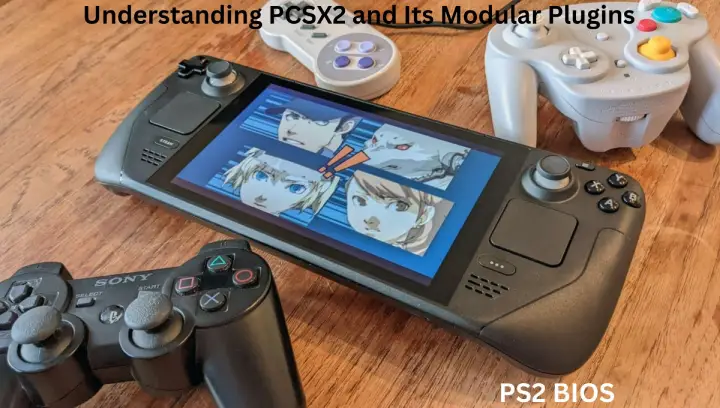
Each PCSX2 plugin has settings you can tweak to balance accuracy and performance. For instance, if your GPU is very powerful, you might crank up GSdx’s resolution and enable anti-aliasing for crisp, high-definition graphics. If your CPU is limited, you might stick to native resolution or use hardware rendering to keep games running smoothly. Similarly, in SPU2-X you can adjust audio latency or interpolation to eliminate stuttering on slower systems. Because plugins isolate functions, a problem in one area (say, sound glitch) can often be fixed by adjusting just that plugin’s settings without affecting others.
PCSX2’s modular plugins also mean the emulator is continually improving. Developers can optimize GSdx, LilyPad, or SPU2-X independently. Over time this has led to better compatibility and features. For example, modern versions of GSdx support upscaling PS2 games up to 4K resolution, and SPU2-X can output real PS2-style reverb. These improvements come from the community working on plugins. In fact, PCSX2’s plugins give it a “modular backbone” that makes it powerful and user-friendly – a design praised by many in the emulation community.

Conclusion
In summary, PCSX2’s plugins are the key to fine-tuning PS2 emulation on a PC. By splitting tasks into graphics (GSdx), sound (SPU2-X), input (LilyPad), disc I/O (CDVD), and network/HDD (DEV9), the emulator can take advantage of modern hardware and offer extensive customization. Properly configured, these plugins let you relive PS2 classics with enhanced graphics and audio that often surpass the original, while maintaining smooth performance. For example, current PCSX2 releases can run demanding titles like Final Fantasy X and Devil May Cry 3 at nearly full speed on standard PCs.
Many of these plugins come built into PCSX2, and others (like DEV9 or USB) can be downloaded if needed. Together, they have helped make PCSX2 one of the best PS2 emulators available. Whether you’re aiming for higher resolutions, better sound, or using modern controllers, PCSX2’s plugin system gives you the flexibility to optimize your PS2 gaming experience on today’s computers.
