
It’s been almost a year since PCSX2 2.0 dropped. Since then the team quietly refined, fixed, and innovated — first with 2.2.0’s heavy polish pass, and now with 2.4.0’s wave of performance and feature upgrades. Below we walk the timeline so you can see how 2.0’s foundations were smoothed in 2.2 and then pushed forward in 2.4 — and what that trajectory suggests for the tentative 2.6.0 release slated for late 2025.
PCSX2 2.2.0 — polish mode
2.0 was arguably the project’s biggest single release, and after that burst of big changes the team intentionally slowed down. Several long-term contributors stepped back, including former lead refraction, and the remaining contributors focused on refinement. The theme for 2.2 was simple: polish.
New emulated peripherals
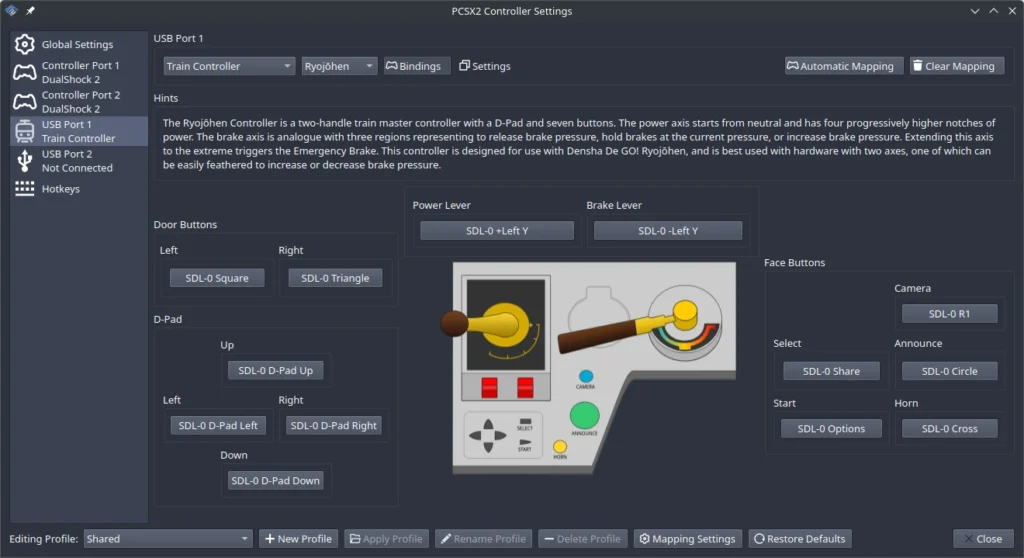
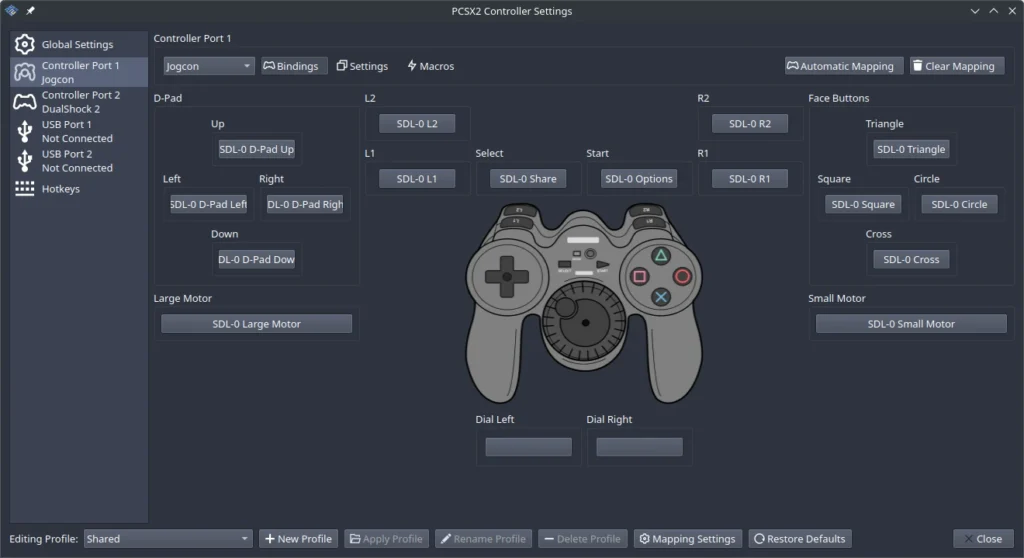
Right after 2.0, contributors began tackling the long-standing missing devices list. In the first month after 2.0, thanks to contributors like Florin9doi and first-timer joestringer, PCSX2 gained support for a wide range of peripherals:
- Trance Vibrator
- Gametrak / RealPlay device
- Jogcon and NeGcon controllers
- Train Mascon controllers (Type 2, Shinkansen, Ryojōhen)
- Konami Microphone
- Zip 100 storage
- PictureParadise
Additional improvements included audio support for EyeToy emulation and a custom UI for Buzz! devices.
Better blending — accuracy with speed
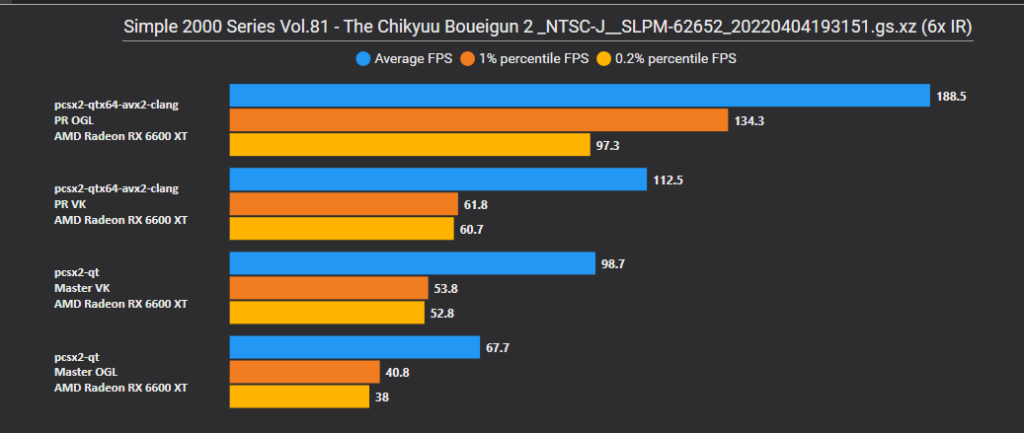
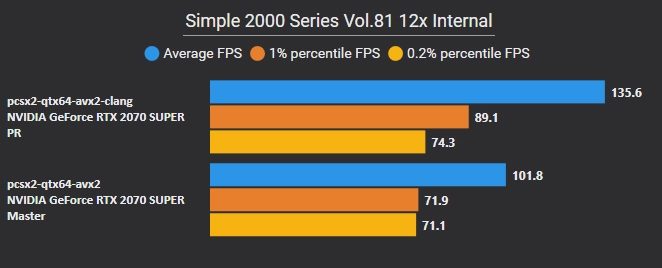
The perennial “Will it blend?” question got a strong answer. LightningTerror reworked per-pixel alpha blending (PABE), improving both accuracy and performance.
- Software blending: very accurate but slow — it forces shader synchronization which hits performance.
- Hardware blending: fast but limited to simple operations, so accuracy can suffer.
The new approach cleverly mixes the two: craft shader outputs so the GPU’s hardware blend unit produces results that match the PS2’s per-pixel behavior for supported blend modes. The result: more accurate visuals without the full software cost.
Symbol parsing and debugger improvements
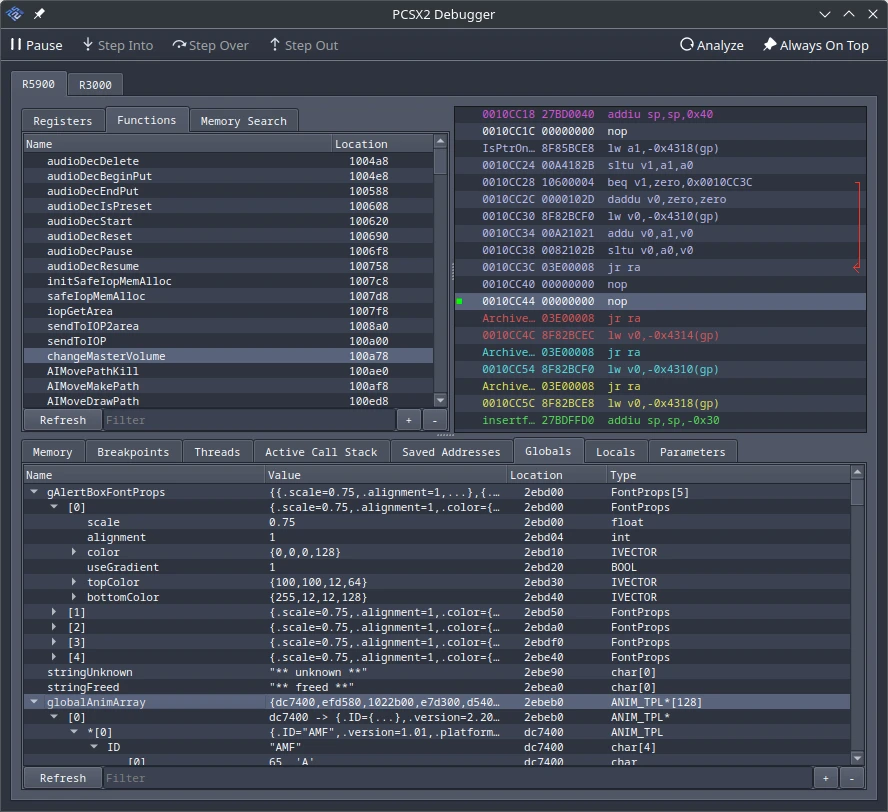
Chaoticgd delivered a major debugger overhaul that’s been in the works for nearly a year. The improved debugger can read MIPS .mdebug, SNDLL .sndata, and ELF .symtab symbol tables embedded in game binaries.
- When .mdebug info exists, the debugger now shows globals, locals, and function parameters — including their data types.
- Memory structures can be explored as trees, making reverse-engineering and debugging far more usable.
- Fine-grained settings let you control how and when symbol analysis runs.
A neat side effect: many games that ship with debug symbols (Pac-Man World 2, Sega Soccer Slam, Fatal Frame, and dozens more) are now far easier to inspect.
Savestate compression options
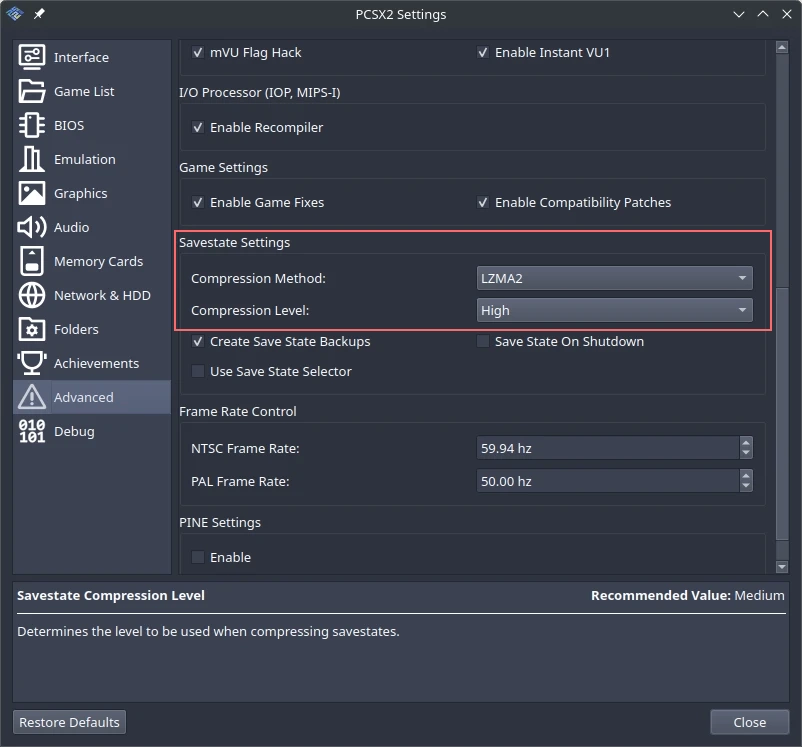
KamFretoZ added flexible savestate compression settings. You can now choose:
- Compression formats: Zstandard (default), Deflate64, LZMA2, or none.
- Four compression levels per format.
Higher compression saves space at the cost of additional time to save/load — handy if you want tiny state files or want to avoid compression entirely (for those with gargantuan NAS arrays).
DEV9 progress
AirGamer dug into DEV9 emulation to run PS2 Linux and PlayStation Broadband Navigator. The team is now tantalizingly close: the remaining blocker appears to be incomplete translation lookaside buffer (TLB) emulation. Fixing TLB behavior should bring PS2 Linux and PSBBN within reach.
Smaller but meaningful fixes
Polish also means lots of smaller wins. A few highlights from many:
- Little-endian debugger support added.
- VAAPI support fixed on Linux (macOS expert contributions).
- Per-codec selectable pixel formats in video capture.
- Direct link to a game’s wiki page from the app.
- Hardware info added to the statistics overlay.
- Discord Rich Presence icons for RetroAchievements-enabled games.
- Input-profile bugfixes, graphics fixes in specific titles, a cheats search bar, and more.
PCSX2 2.4.0 — innovation returns
After 2.2’s breathing room, the team returned to larger changes. 2.4 focuses on performance, compatibility, and new features — many of which unlock fixes for entire classes of games.
RT in RT support — complex render targets finally handled
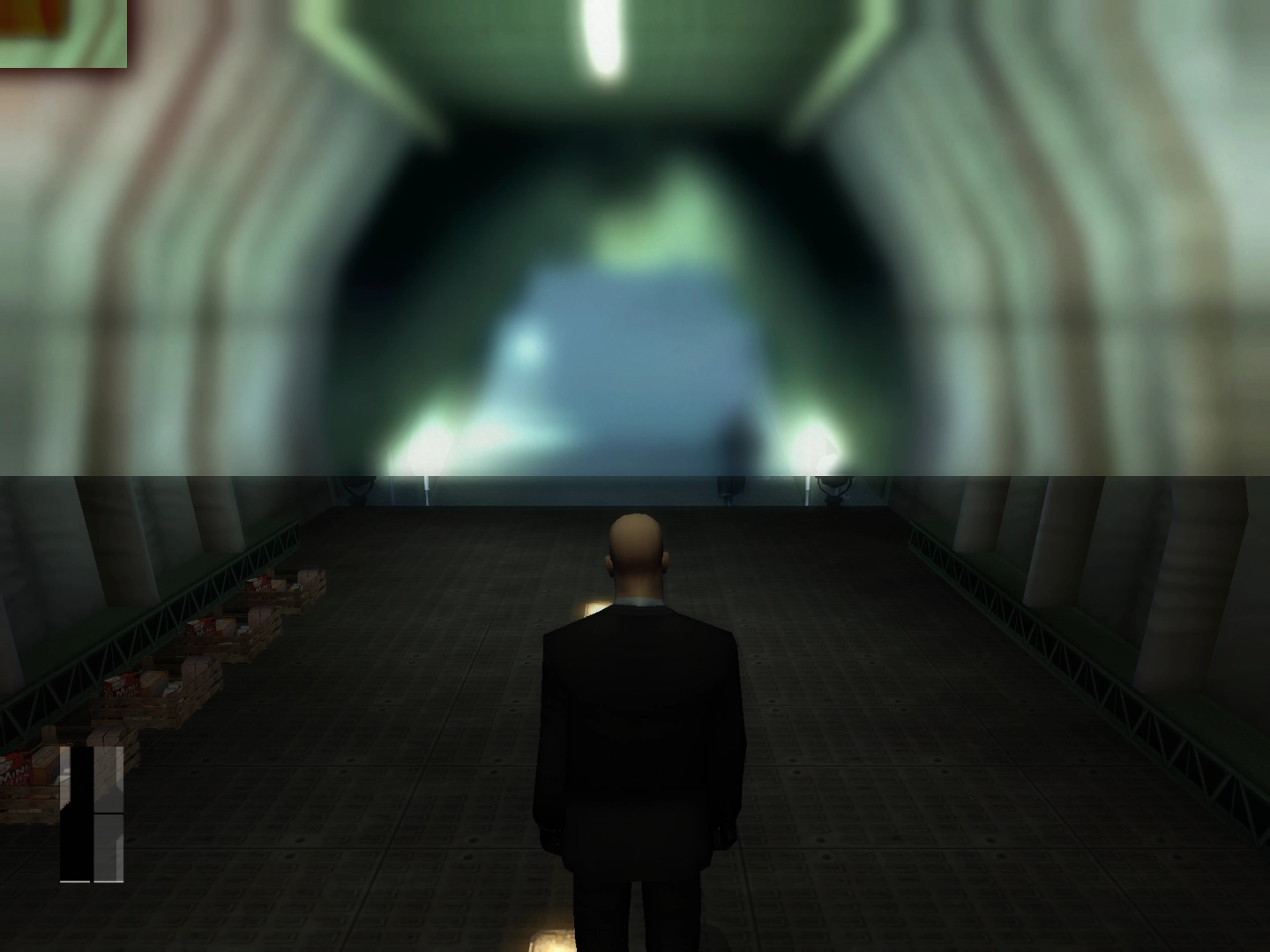
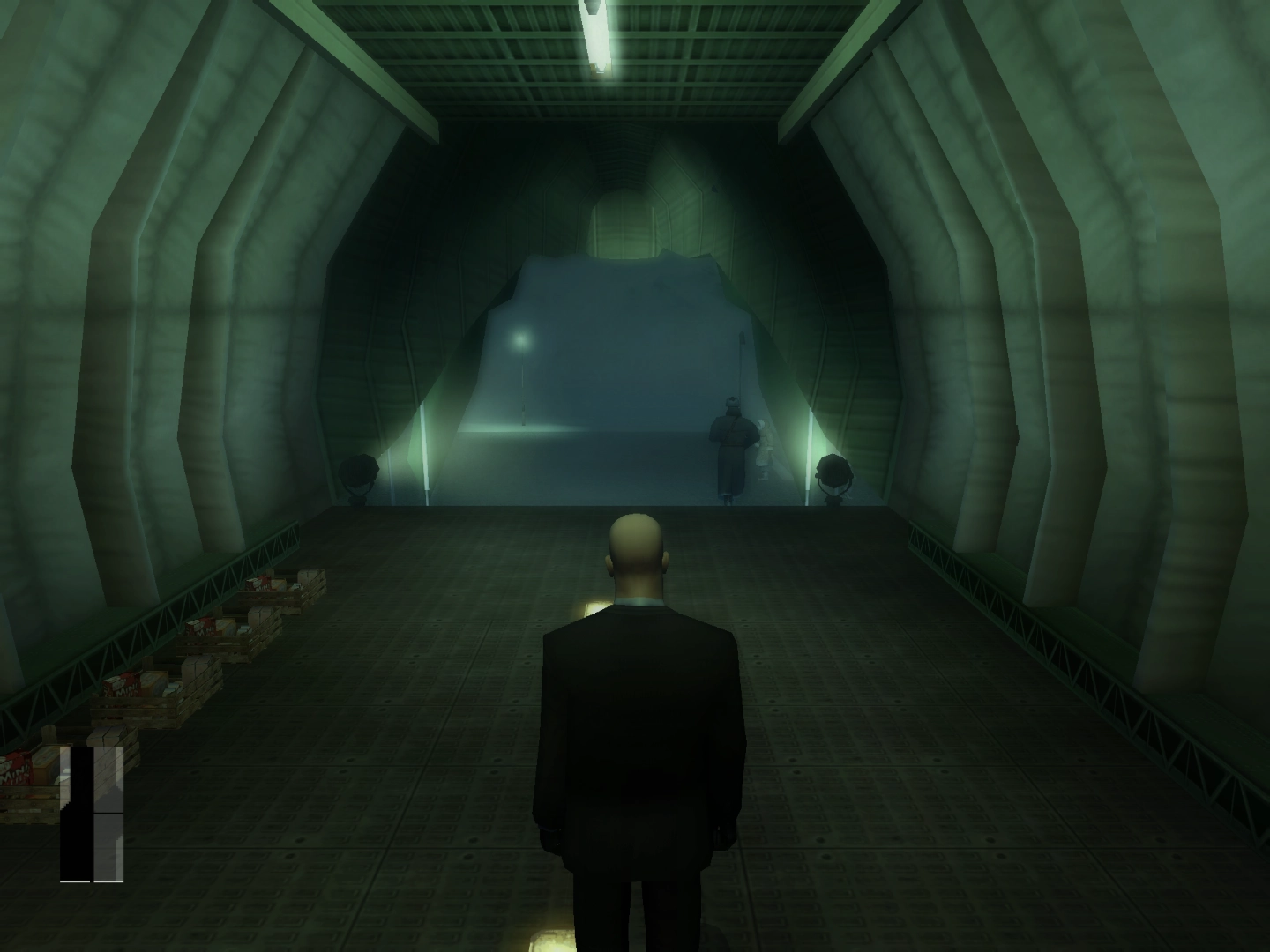
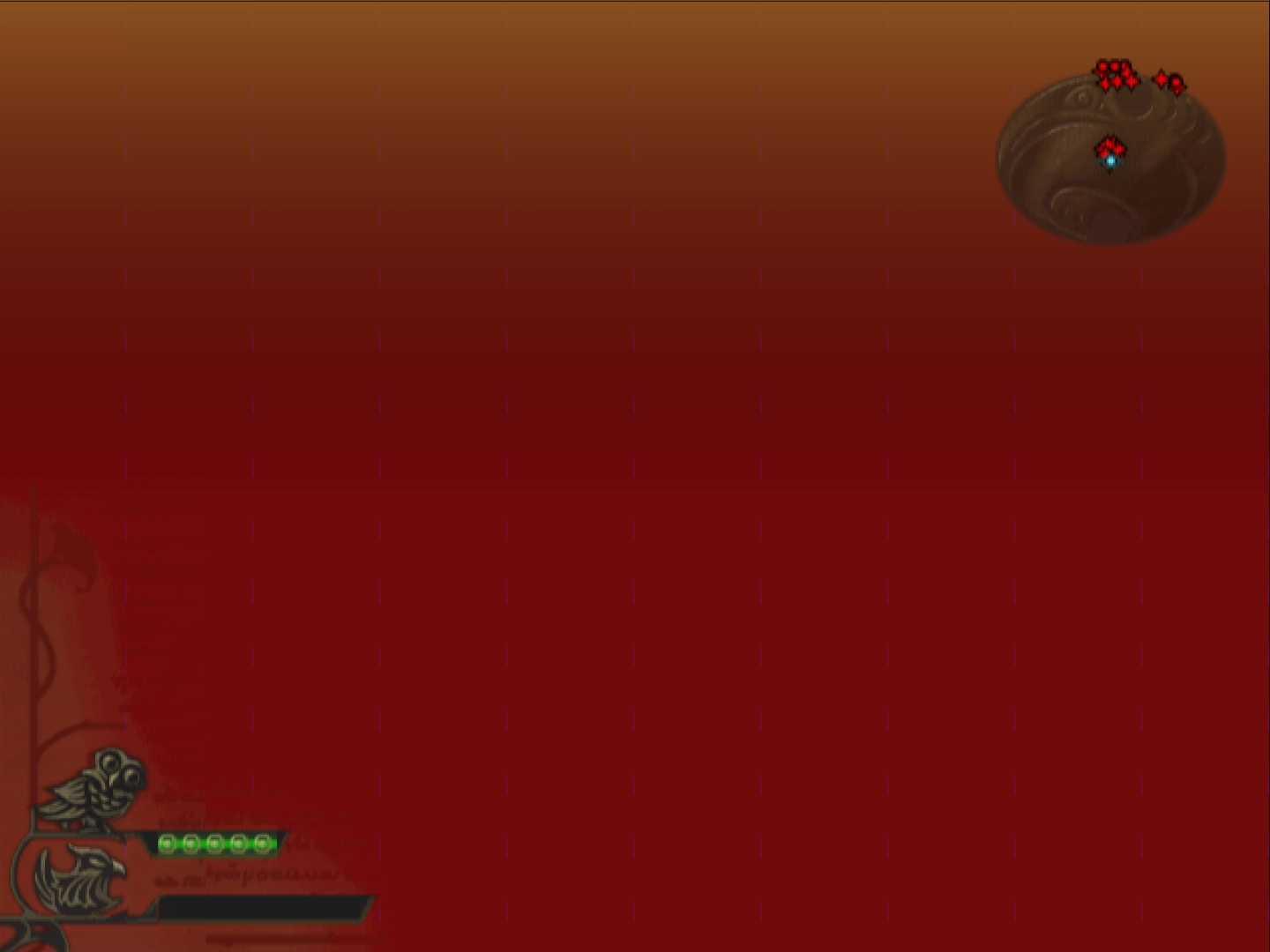
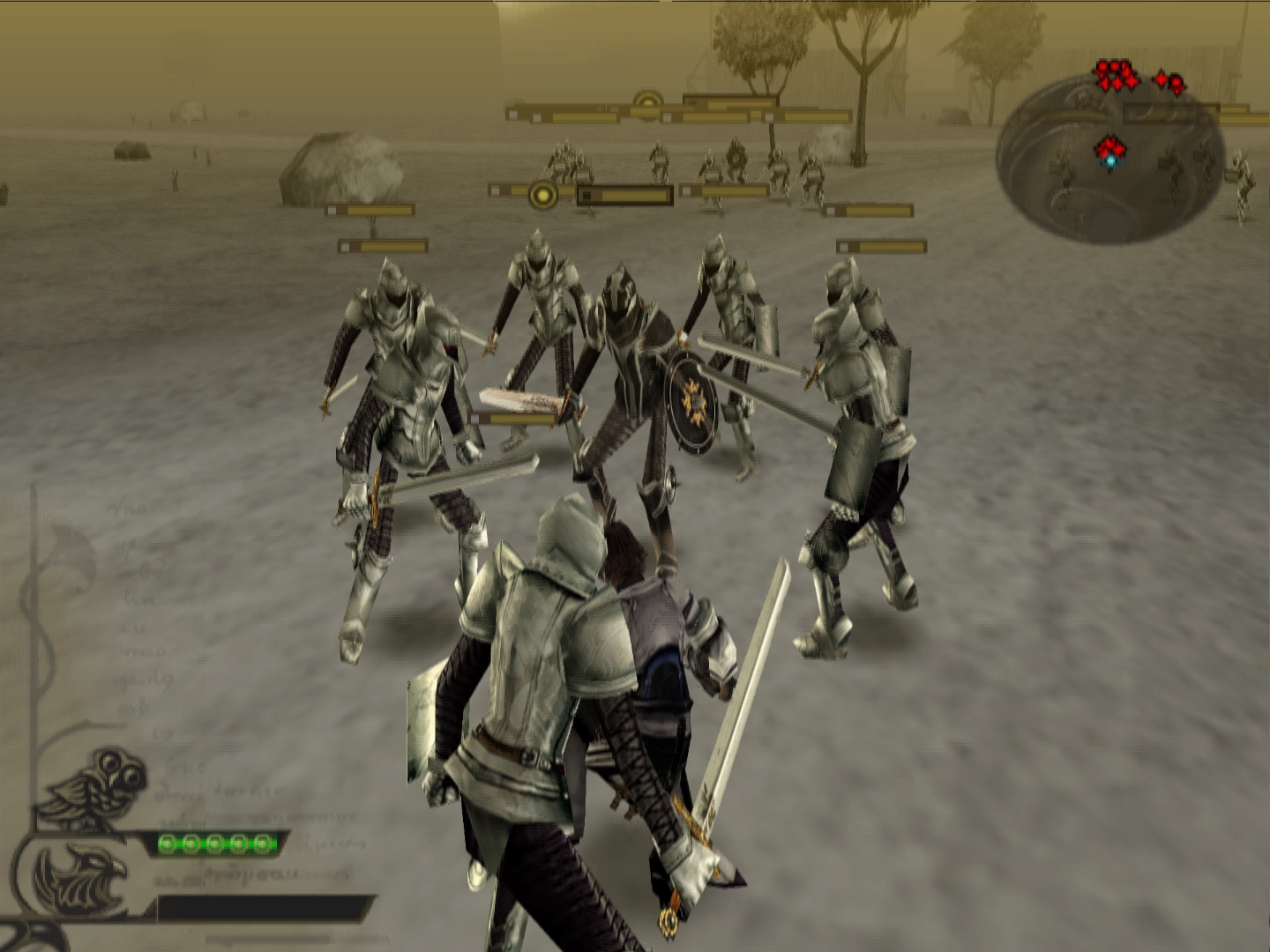
Refraction returned to finish a long-standing and finicky feature: RT in RT (render target in render target). On the PS2, games could point a render target into a subsection of another render target (for example, the right half of an image). Some games relied on that behavior, and PCSX2 historically misinterpreted such draws — resulting in missing imagery or corrupted output.
- The new implementation detects when an inner RT targets a subset of an outer RT, calculates the intended subsection, and translates those draws into triangle coordinates that PC APIs can handle.
- This conversion fixes splitscreen rendering, removes the need for hacks in certain titles, and restores many effects that previously only worked in software rendering.
- Examples of improvements include two-player splitscreens (Jak X: Combat Racing), removing hacks for Ghost in the Shell: Stand Alone Complex, restored effects in Drakengard, and hardware-rendered fixes for Hitman: Contracts.
Custom real-time clock per game
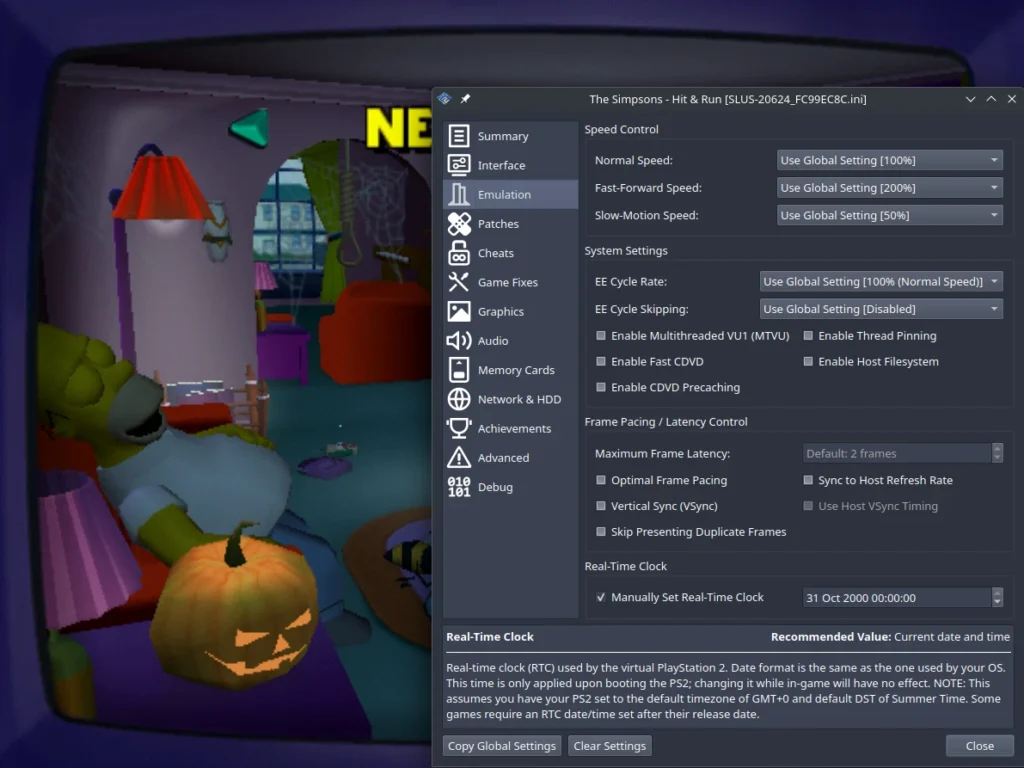
The PS2’s RTC affects RNG, timestamps, and even in-game events (holiday easter eggs, time-specific content, etc.). 2.4 adds per-game RTC settings:
- You can set a custom RTC start time for a game via Game Properties > Emulation > Real-Time Clock.
- This helps with niche gameplay scenarios (Ratchet & Clank time-specific content) and improves tool-assisted speedrun workflows.
- Note: requires BIOS set to GMT+0 and DST set to Summer Time (PCSX2 default when no .nvm exists). Supported range: 2000-01-01 00:00 through 2099-12-31 23:59 (matching PS2 limits).
HDR optimization for blending performance
PCSX2 uses HDR render targets as a strategy to emulate PS2 wrapping behavior when blend results exceed 8-bit ranges. Previously, frequent conversions between HDR and 8-bit textures cost performance.
- Refraction optimized this by converting once to HDR and keeping results in HDR while wrapping mode is active — instead of converting back and forth per draw group.
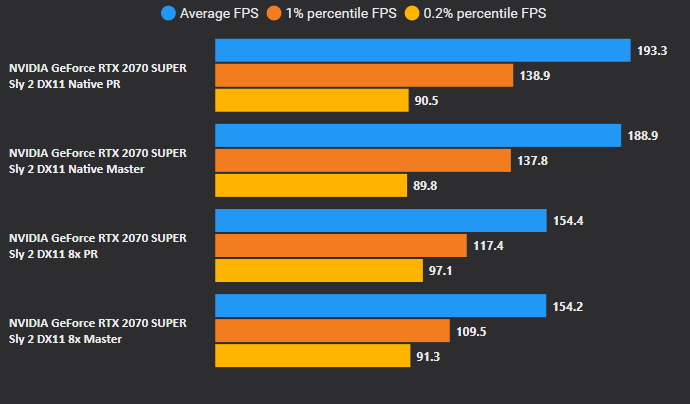
- The optimization dramatically reduces conversion overhead in games that heavily rely on wrapping blending modes (notable speedups seen in Sly 2 and Big Mutha Truckers).
Direct3D 11 revamp
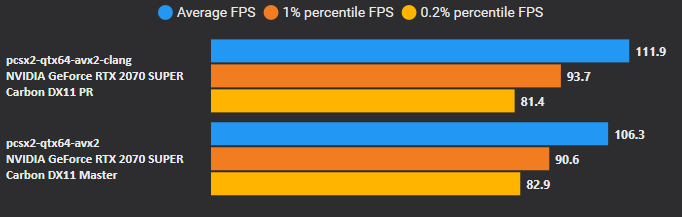
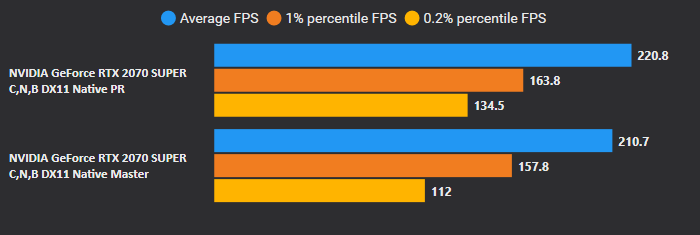
Direct3D 11 received a significant performance revival. LightningTerror addressed Direct3D 11 resource hazard warnings, enabling Resource Shader Caching and backporting optimizations from other renderers. The result: noticeable frame-rate improvements in many titles and a healthier D3D11 backend.
Signed macOS binaries
macOS users benefit from formally signed binaries. Gatekeeper will now accept PCSX2 as a verified developer build — removing the previous friction where users had to explicitly override security warnings.
Wayland by default on Linux
Thanks to upstream Qt 6.9 fixes and work from GovanifY, PCSX2 can run on Wayland by default. The age-old I_WANT_A_BROKEN_WAYLAND_UI flag is no longer necessary. X11 environments are unchanged; users who encounter Wayland-specific bugs can still fall back to XWayland via QT_QPA_PLATFORM=xcb.
New upscaling alignment option
Refraction added Align to Native with Texture Offset (AtNTO) — a refinement of Align to Native (AtN) and other half-pixel offset options. AtNTO sharpens many upscaled games and is auto-applied to 100+ titles (Ace Combat 04, Sly Cooper trilogy, God of War I & II, Shadow of the Colossus, and more) thanks to GameDB work by JordanTheToast.
Debugger redesign and SDL3 upgrade
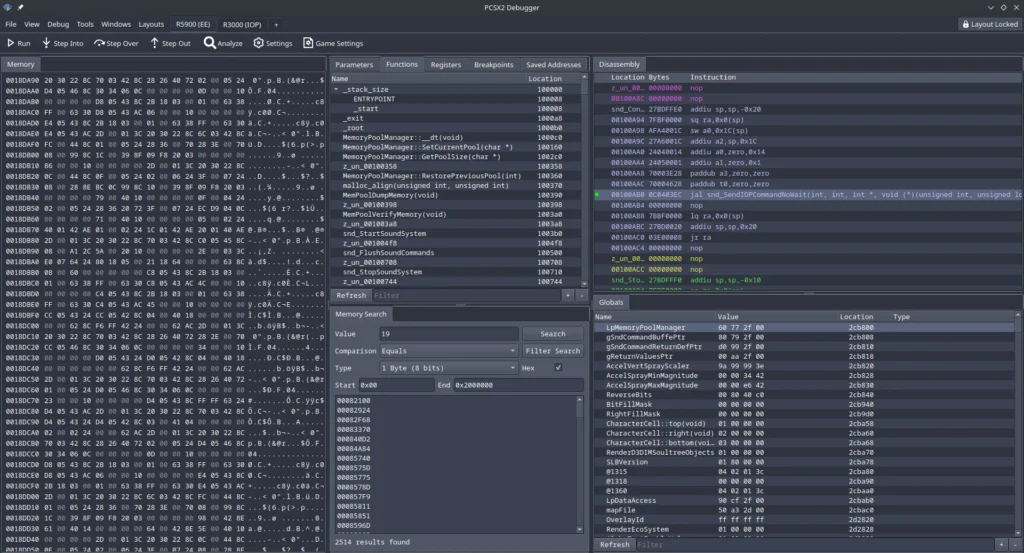
- Chaoticgd’s debugger redesign (KDDockWidgets) makes custom layouts, multiple profiles, and multiple memory viewers possible — a huge usability boost.
- PCSX2 migrated to SDL3, enabling cleaner gamepad handling and audio, full DualShock 3 support on Linux, and a cleaner path to future SDL features. This transition was driven by JordanTheToast and supported by AirGamer.
Additional smaller wins in 2.4
- MemCard PRO2 support.
- Improved debugger Disassembly view with column titles.
- Per-game audio settings fixes.
- Redump database updates for disc verification.
- UI improvements (SVG icons for Big Picture Mode), GS dumping options, and more.
Where we are headed
The journey from 2.0 → 2.2 → 2.4 shows a clear pattern: ship transformative features, stabilise and polish, then return with focused innovation backed by the polish foundation. The tentative 2.6.0 release (late 2025) will likely continue this rhythm — more compatibility fixes, deeper performance work, and tools that make PCSX2 both friendlier to users and more powerful for developers and TAS authors.
If you’re a contributor, user, or curious developer, 2.4 is a strong step forward: better peripherals, far fewer rendering edge-cases, higher performance across renderers, and more robust platform support. If you’re a player, you’ll notice sharper upscaling, fewer graphical glitches, and smoother gameplay in many titles.
Thanks to every contributor — from long-term maintainers to first-time committers — for turning careful polish into meaningful progress.
