
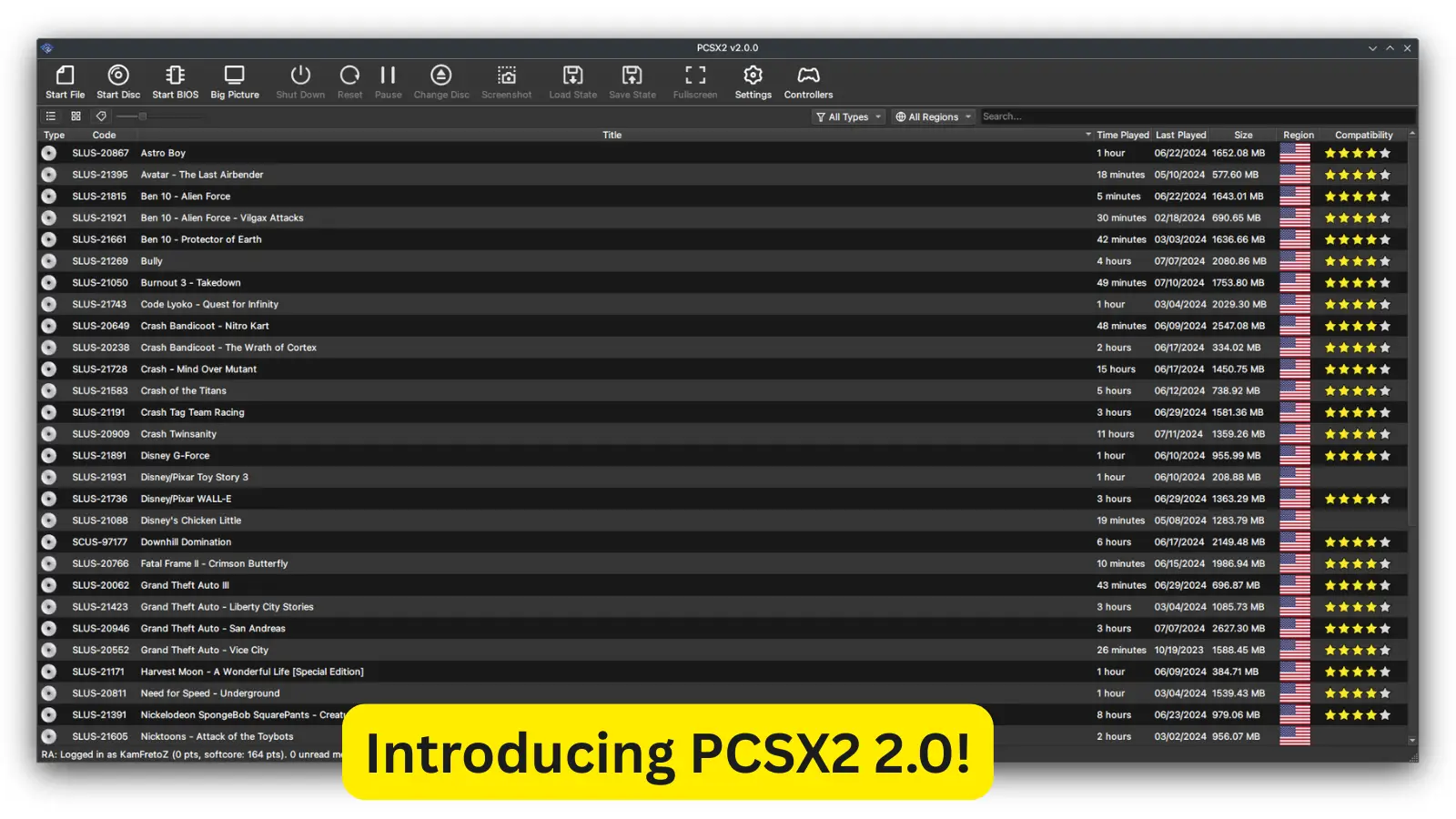
Present Day, Present Time
It’s hard to believe it’s been over four years since our last stable PCSX2 release. A lot has happened in that time: PCSX2 2.0 has seen 6,000+ updates, surpassed 100 million downloads, and even celebrated its 20th anniversary! We’ve packed countless design overhauls and technical breakthroughs into version 2.0. There’s so much to share, so let’s dive into the biggest highlights from these four years of development.
The Elephant in the Room: PCSX2 Enters Its Qt Era
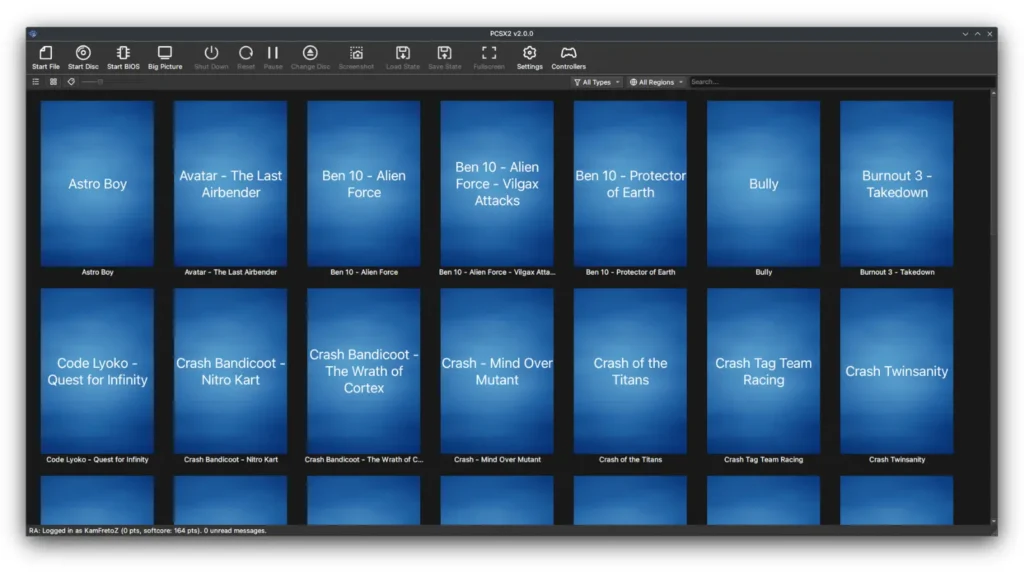
We finally said goodbye to our old GUI system, wxWidgets. It had served us for years (even Dolphin switched it off), but it was starting to show its age. The look and feel was stuck in the mid-2000s, and worse yet, it caused threading nightmares – deadlocks, race conditions, and other bugs because it wasn’t well-isolated from the emulator core. The technical debt was stacking up, and we knew we needed a change. Enter Qt. We rebuilt the entire interface using Qt, giving PCSX2 a sleek, modern appearance. Qt’s backend is more efficient, and we took the opportunity to redesign every menu and dialogue. Now you can choose from multiple themes to personalise PCSX2’s look. The result is easily our best user experience ever. Everything feels smoother and more intuitive. Huge thanks to Stenzek for bringing his Qt expertise from DuckStation and leading the charge on our new design!
Saying Goodbye to Plugins
Plugins were great back in the day – they let users mix and match graphics, sound, and controller code – but in 2024, they were more of a hindrance. The development space was fragmented, and the codebases were antiquated. Accuracy and user experience are our top priorities now, so we decided to drop the plugin system entirely.
- Unified Codebase: We merged the essential features from old plugins directly into the PCSX2 core. The result is one single project build – no more separate DLLs or plugin DLL directories.
- Feature Parity: We contacted the original plugin authors and integrated their work so nothing important is lost. Most familiar settings and options remain, just renamed or reorganised for clarity.
- Simplified Settings: Some outdated options were removed or consolidated. Overall, the settings pages are much cleaner. Think of it as the same power you had, but without the confusion of dozens of plugin tabs.
This change means developers can work on PCSX2 more efficiently, and you get a more consistent experience with every setting in one place.
Simplifying Configuration With Automatic Game Fixes
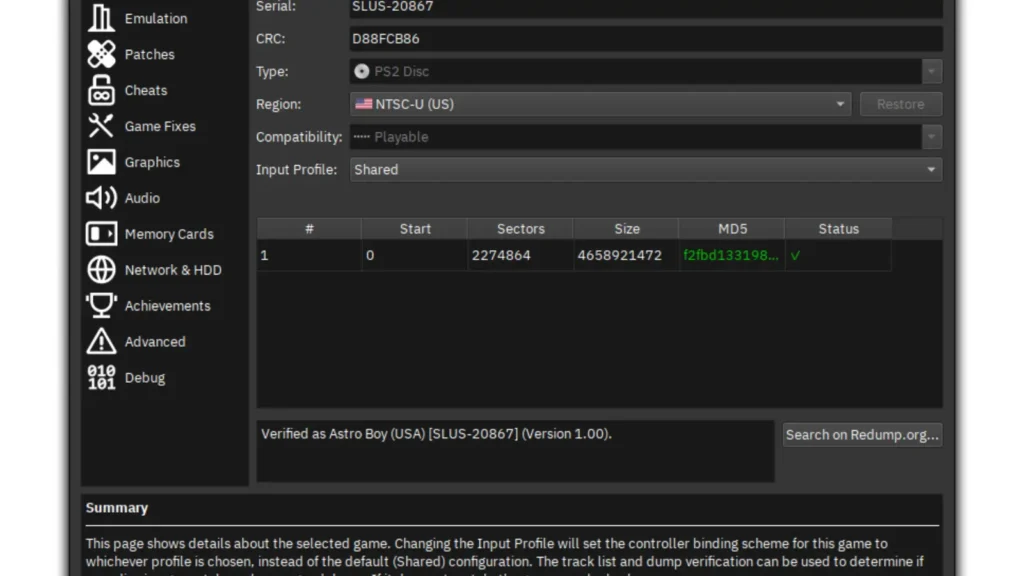
One thing we noticed: PCSX2 had far too many scattered settings that users had to juggle. Graphics fixes were hiding in the graphics plugin menu, CPU modes had their own tab, speed hacks were over here, and random other tweaks somewhere else. It was a confusing mess. To fix this, we made a big leap forward in automation. We already had a database (the game index) listing every known PS2 game. Now that the index includes all the settings and fixes a game needs to run correctly. In practice, this means PCSX2 2.0 ships pre-configured for each game. When you load a game, PCSX2 automatically applies the recommended settings and hacks for that title. You no longer have to remember to enable specific fixes each time – PCSX2 just knows what works.
Here’s how it helps you:
- Automated Game Fixes: Popular game-specific fixes (like cutting out flickering effects or custom speedhacks) are turned on for you when needed.
- One-Click Experience: Switch games freely without manually adjusting compatibility settings. PCSX2’s game database does the heavy lifting.
Goodbye Goldfish Brain, Hello Per-Game Settings
For a long time, PCSX2 treated all games the same: global settings applied universally. That meant if you wanted different options (say, a higher resolution or a different memory card) for one game, you had to remember to change it every time. We know goldfish memory struggles. In PCSX2 2.0, that burden is gone. We introduced per-game settings that sit on top of your global settings. By default, a game inherits all your general configuration, but you can override any setting just for that game. Want Jak & Daxter in 4K but other games at 1080p? No problem – set it once and forget it. Here are a few examples:
- Custom Resolutions: Assign a higher rendering resolution or upscale mode for one title without affecting the rest.
- Memory Cards & Controllers: Use different virtual memory cards or controller profiles per game.
- Any Setting Overrides: From video options to audio hacks, anything can be tailored per-game.
Now PCSX2 “remembers” your preferences for each game – no more reset before loading a new title!
The Final Frontier of Compatibility
Thanks to all these improvements (and of course, years of bug-hunting!), compatibility is nearly perfect. The overwhelming majority of PS2 games run flawlessly on PCSX2 now. In fact, only a tiny handful of titles remain problematic, and their issues are extremely obscure: games that rely on offline servers, esoteric accessories that haven’t been emulated yet, oddball floating-point math quirks, or insanely complex engines that push any emulator to the limit. The good news? We’re at the endgame. Among known PS2 games, only one stubborn title refuses to even boot on Windows. Every other game will at least get into the menu. Unless someone discovers a hidden, lost PS2 game, PCSX2 is effectively at its compatibility endgame. Our new mission is to conquer that final tiny list of holdouts and make every PS2 game truly playable.
Big Picture Mode: Coming Soon to a TV Near You!
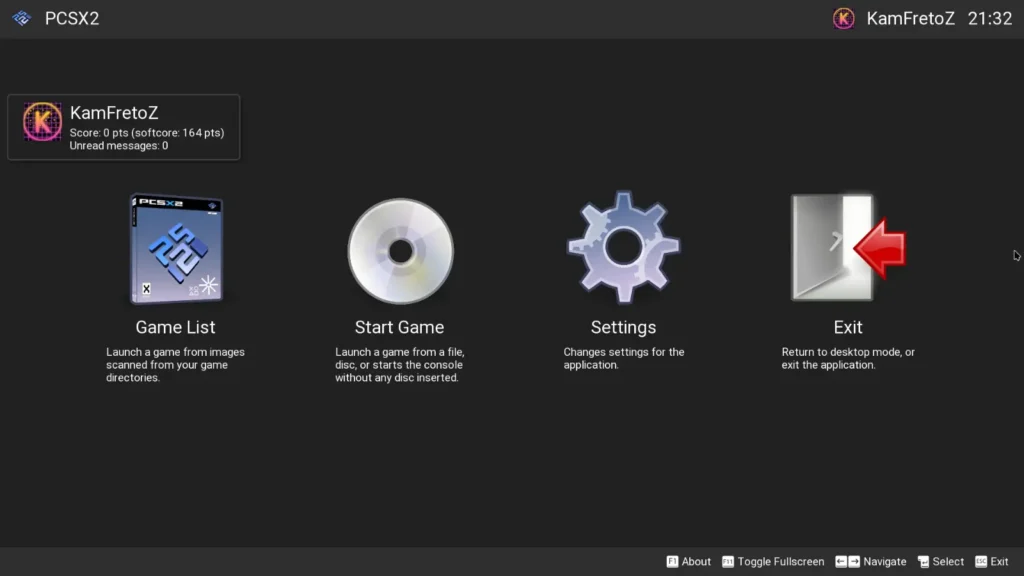
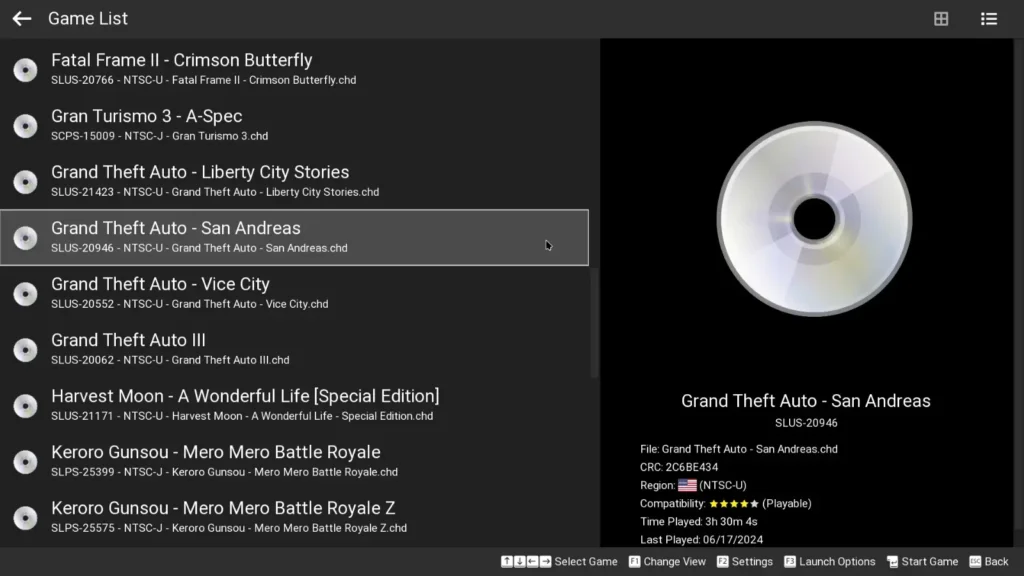
Couch gamers rejoice! We know a lot of you love playing on the TV with a controller, and PCSX2’s old UI wasn’t ideal for that. So we built a Big Picture mode. Press the Big Picture button in the interface (or launch PCSX2 with the –bigpicture command-line flag) and you’ll switch to a controller-friendly UI built with ImGui (thanks, Stenzek). From there, you can navigate PCSX2’s menus entirely with a gamepad, just like a console. Key points about Big Picture Mode:
- Controller Navigation: Use your gamepad to browse the UI, configure settings, and launch games without touching the mouse or keyboard.
- Launch Options: You can start PCSX2 directly in Big Picture mode via a shortcut argument (–bigpicture). Other handy flags include –fullscreen and –exitaftergame to auto-close PCSX2 when you quit a game. (See the PCSX2 docs for a full list of command-line options.)
- Everything Accessible: All main PCSX2 functions are available – boot games, adjust save states, change per-game settings, etc. It’s all optimised for a TV screen.
So grab a snack, sit back on the couch, and control PCSX2 from across the room!
A Fresh Approach to Translation
Translating PCSX2 used to be a huge pain: we had scattered PO files that had to be manually updated, which was slow and error-prone. We decided to streamline it. PCSX2 is now on Crowdin for localisation. Here’s what changed:
- Automatic Updates: Translations sync automatically as they get approved on Crowdin. No more hunting for outdated files.
- Community Contributions: Anyone can contribute translations or suggestions on Crowdin. You don’t need developer privileges – just jump in and help polish your language.
- Quality Voting: The best translation for each string (as voted by the community) is what ends up in the emulator build. This ensures high-quality, natural phrasing.
If you notice something off in your language, head over to our Crowdin page to fix it. Your contributions will appear in the next update automatically!
PCSX2 Joins GitHub Sponsors
We’ve officially set up a GitHub Sponsors page for PCSX2. If you love PCSX2 and want to help keep the project and its infrastructure (website, forums, etc.) running smoothly, consider contributing. Every dollar goes into keeping our servers online and things moving forward. All support is greatly appreciated!
The… Mastodon in the Room?
For over 14 years, PCSX2 has been tweeting away on Twitter, and we’re still there with the latest tips and news. Now we’re also on the fediverse! PCSX2 has a new Mastodon account where we’ll post updates, sneak peeks, and all sorts of fun content. Join us there for more frequent tidbits and community interaction. We’d love to see you in the cloud!
The Requirements Update
Time marches on, and so do hardware and OS requirements. To use PCSX2 2.0, here’s what you need:
- Windows: We’ve dropped support for Windows 7, 8, and 8.1 (Microsoft ended support for those, too). The new minimum is Windows 10 (build 1809). This lets us use modern features like fastmem without crippling compatibility.
- macOS: Good news – macOS support is back in full force! Big thanks to TellowKrinkle for making this happen. PCSX2 now builds for macOS (Intel 64-bit). It also runs on Apple Silicon Macs via Rosetta. The minimum macOS version is Big Sur (11.0). So if you have a modern Mac, PCSX2 2.0 has you covered.
Keep in mind that if you still try running on an old, unsupported OS, some new features (and possibly stability fixes) just won’t be there. We recommend updating to meet these requirements for the best experience.
Introducing PCSX2 Patches! (Kind of.)
Cheats and patches got a makeover, too. We still use .pnach files, but with some nice improvements:
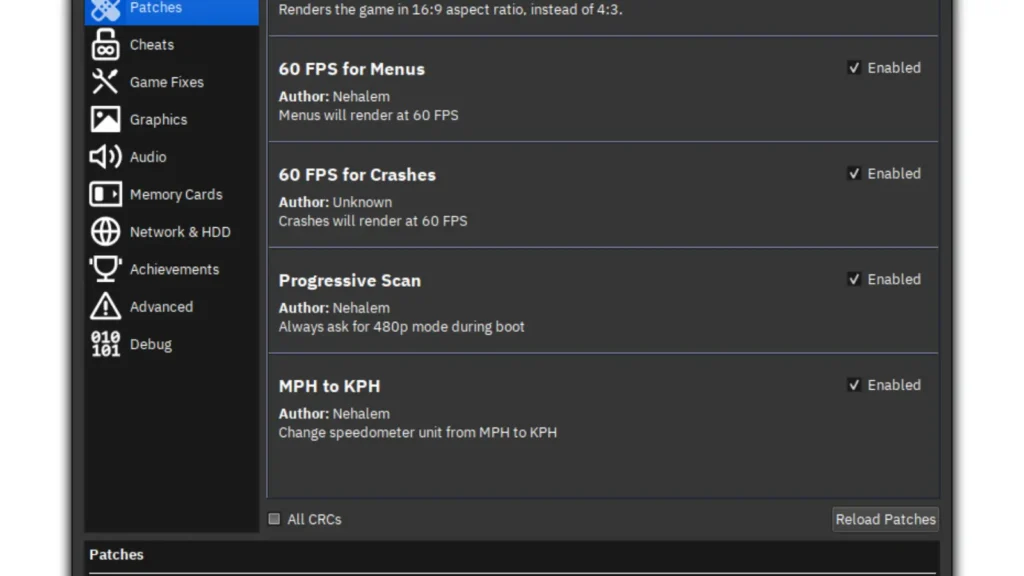
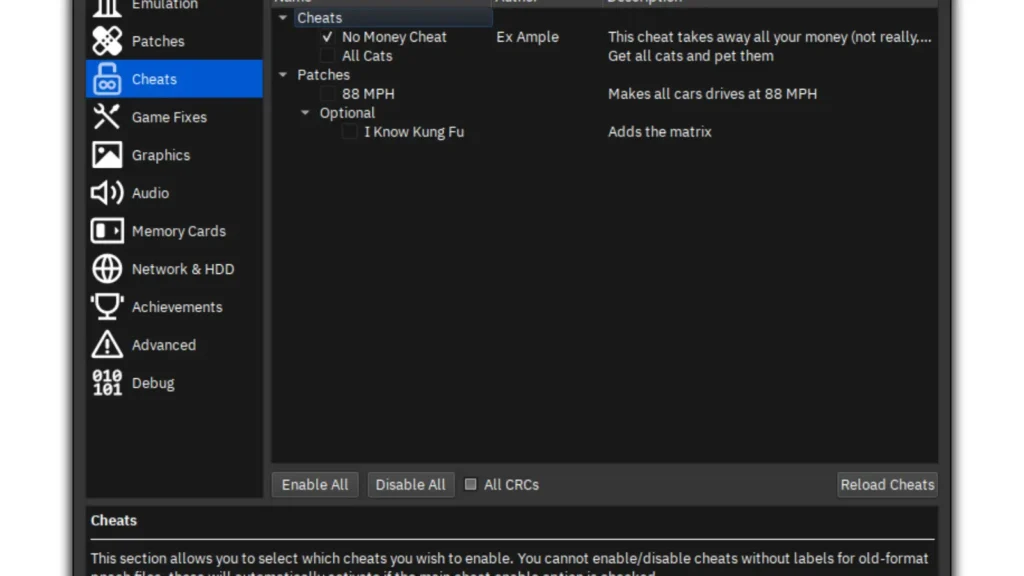
- Pnach 2.0 Format: Our new format lets you label individual cheats or patches in your .pnach files, kind of like sections in an INI file. Each labelled hack appears as its own toggle in the PCSX2 UI under the game’s settings. This means you can enable or disable specific cheats from within PCSX2 without manually editing the file. Cleanup city!
- PCSX2 Patches Repository: We created a GitHub repo to collect community patches. Widescreen fixes, no-interlace patches, 60 FPS unlockers, and other handy QoL patches can be submitted there. Whenever you build or download PCSX2 2.0, it will include these curated patches. (Right now we’re focusing on widely demanded fixes and improvements – things like widescreen hacks or major bugworkarounds.) The repository is community-driven: patch authors submit their work, and we curate the list. We don’t create these patches ourselves or guarantee they’ll work for every version; it’s meant to be a living collection. Think of it as our way of “shipping community-approved cheats.”
We will continue to refine this system, but for now, the main thing is that cheats are easier to manage in the UI and there’s a central place for getting the latest fixes for your favourite games.
The Core Exploded! Wait, No It Didn’t!
We poured a ton of work into the emulation core itself – making it faster, more consistent, and more accurate than ever.
Introducing Fastmem!
One of the biggest wins was adding Fastmem (Fast Memory Access) to the EE and VU recompilers. In simple terms, it speeds up PS2 memory reads and writes on your PC. The result? A huge performance boost in many games – and the best part is, there’s no downside. It doesn’t reduce accuracy or cause any new bugs. We turned it on by default, so you just get the extra speed for free!
- No Configuration Needed: Just update to PCSX2 2.0, and you get fastmem automatically. No need to fiddle with settings.
- Stable & Accurate: Fastmem works transparently, even when games do weird memory tricks. No more interpreter fallback performance hits.
Tying Up Loose Ends: New Recompiler Instructions
We also implemented a few rare CPU instructions that were missing in the EE recompiler. These were thought to be unimportant until we found games that abused them, causing them to fall back to the super-slow interpreter. Now they’re properly handled by the recompiler, so those games no longer get a nasty slowdown. It’s one of those invisible fixes – you won’t have a new checkbox to tick, but you’ll feel the improved performance.
EE and VU Recompiler Optimisation
Stenzek, with some insights from DuckStation’s development, optimised several EE/VU instructions. These aren’t necessarily “new features” you toggle, but the result is that certain mathematical and logical operations run faster. The gains vary by game (depending on how much they use those instructions), but overall, it means less wasted CPU time in many titles.
Who Needed Infinity and NaN Anyway? Gran Turismo 4 Does!
This one’s a fun story. PS2 games often relied on precise floating-point math, and our emulation of Infinity/NaN (Not-a-Number) wasn’t always perfectly accurate. Gran Turismo 4 was famous for requiring a specific clamping mode in PCSX2 to avoid glitches during races. We finally fixed the floating-point pipeline properly, so GT4 now auto-handles clamping correctly. Grand Turismo 4 fans, rejoice! You no longer need to manually tweak clamp settings. The correct behaviour is automatic.
The Bane of Developers: Graphics Improvements
Graphics emulation got a massive overhaul. Let’s break it down:
A New Challenger: Vulkan Enters the Fight!
We’ve added a full-featured Vulkan renderer, which joins Direct3D and OpenGL options. Vulkan is modern and fast, so on many systems it offers the best performance without sacrificing graphical accuracy. Over time, Vulkan will likely become our go-to backend for new features.
But Perhaps an Automated Solution Would Be Better!
Speaking of backends, we know picking the right renderer can be confusing. Some GPUs have quirks: Intel iGPUs might crash on Vulkan or OpenGL, AMD has known OpenGL slowdowns, Direct3D (especially D3D11) can’t do all the blending effects correctly, etc. Who wants to deal with that? Meet the Automatic renderer setting. We surveyed a ton of hardware configurations and devised a priority system. If you set graphics to Automatic, PCSX2 will detect your GPU vendor and choose the most stable/compatible renderer for you. Stability is the top priority (so it won’t pick Vulkan on an unsupported Intel GPU, for example), and after that, it picks the most accurate option. Trust the Automatic setting, and it will guide you to a working setup.
Blending Gets a Face Lift
Blending effects (light bloom, shadows, transparencies, reflections, etc.) were a major headache. Our graphics team (kicking off with Kojin’s GS discoveries, followed by Refraction and Stenzek’s contributions) dismantled these bugs and optimised the heck out of blending. The result:
- Fewer Passes: We slashed the number of render passes and barriers needed for most blends.
- Basic Blending Covers More: In the past, some games needed “accurate” blending modes (which are very slow), but now Basic blending handles a much larger portion of effects. This means even GPUs that aren’t super-powerful can handle these games.
- On-Screen Stats: The OSD (on-screen display) now shows blending stats in real-time (barriers, render passes, etc.), so you can actually see how many expensive operations are happening.
- Performance Skyrockets: All that optimisation translates to massive framerate gains in blend-heavy games. To give you an idea, here are some example improvements (2.0 vs 1.6):
- Need for Speed: Carbon (High Blending, 8x IR, RTX 2060 Super): ~1060% increase in FPS
- Sly Cooper 2 (3x IR, RTX 2070 Super): ~167% increase
- Zone of the Enders (3x IR, RTX 2070 Super): ~179% increase
- Ratchet & Clank 3 (Native IR, Ryzen 5 5600X): ~30% increase
- Gran Turismo 4 (3x IR, RTX 2070 Super): ~36% increase
- Baldur’s Gate: Dark Alliance (Native IR, RTX 2070 Super): ~514% increase
- These numbers are wild, but they reflect that PCs that struggled before can now breeze through with hardware rendering.
Ghostbusting with Native Scaling
A particularly nasty issue with upscaling was “ghosting” of bloom effects. Many PS2 games do their bloom at native (PS2) resolution and then stretch the image. When you upscale, those blooms end up misaligned, causing a doubled or offset blur (ghosting). To fix this, PCSX2 2.0 auto-applies native scaling for games with bloom. In practice, it detects when a game is trying to do post-processing at 480p and reapplies it properly at HD. The result is that bloom, lights, and other effects now align correctly, even at 4K. We also improved half-pixel offset handling, so the picture is more accurate overall. In short: no more nausea-inducing bloom ghosting.
Everybody’s Shufflin’
“Shuffles” are another clever PS2 graphics trick (splicing parts of the framebuffer and rearranging them in memory). We refined shuffle handling, too, making sure they work smoothly with our new blend system. Along the way, some subtle bugs got ironed out. The upshot is additional performance gains and visual fixes in games that use shuffles. It complements the blending work to make graphics more accurate and faster.
Video Capture with FFMPEG
If you’ve tried PCSX2’s old built-in capture, you know it was clunky and limited. We rewrote video capture from the ground up using FFmpeg. You can now record gameplay in modern formats (H.264, H.265, AV1, etc.) with hardware acceleration if your GPU supports it. The encoder options are configurable, so you can choose quality vs. file size. (Note: Due to licensing, we can’t bundle FFmpeg binaries with PCSX2. You’ll find a link to download the FFmpeg library bundle in our dependencies repository if you want to use video capture.)
A Coat of Paint: Texture Replacements!
One limit of upscaling is that in-game textures (like character skins or environment details) are still low-res. PCSX2 2.0 introduces texture replacement support to overcome this. Here’s what you can do:
- Dump & Edit Textures: PCSX2 can dump game textures to disk. You can then replace them with your own edited or high-res versions.
- Load Custom Textures: Point PCSX2 to a folder of replacement textures, and it will swap them in at runtime.
The results can be stunning. For example, fan-made texture packs for Crash Twinsanity turn the game into a near-Pixar-level visual experience (just check out the before-and-after online). But a few important ground rules:
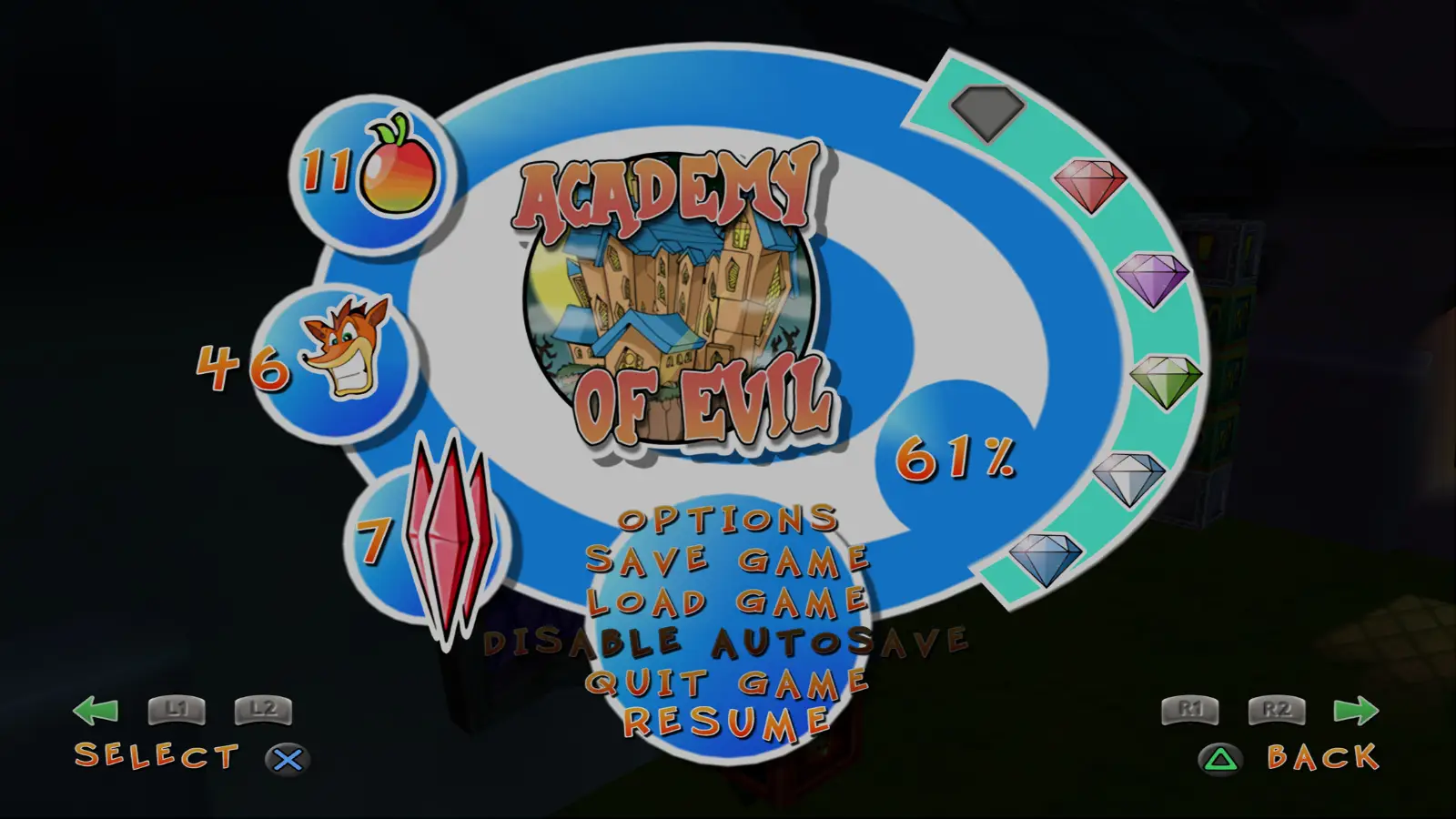
- Community Support Only: We (the PCSX2 team) won’t provide tech support for texture packs, and we don’t host packs on official channels (forums, Discord, etc.). If you use or create a texture pack, take it up with the pack’s author or community.
- Not All Textures Are Replaceable: The PS2’s graphics system is wild. Some textures are generated dynamically with ever-changing hashes. Those can’t be replaced (this is a hardware quirk). If a pack isn’t fully working, it might be due to these unhackable textures.
- Packs May Need Updates: As PCSX2’s GS accuracy improves, texture hashes might change slightly, breaking old packs. Authors may need to update their packs over time. We can explain changes technically, but fixing packs is up to the creators.
In summary: feel free to enhance your games with texture packs, but know that this feature is user-driven and may require upkeep. The visual payoff can be fantastic, though!
Graphics Honourable Mentions
We also want to shout out a few specific games that have seen remarkable fixes:
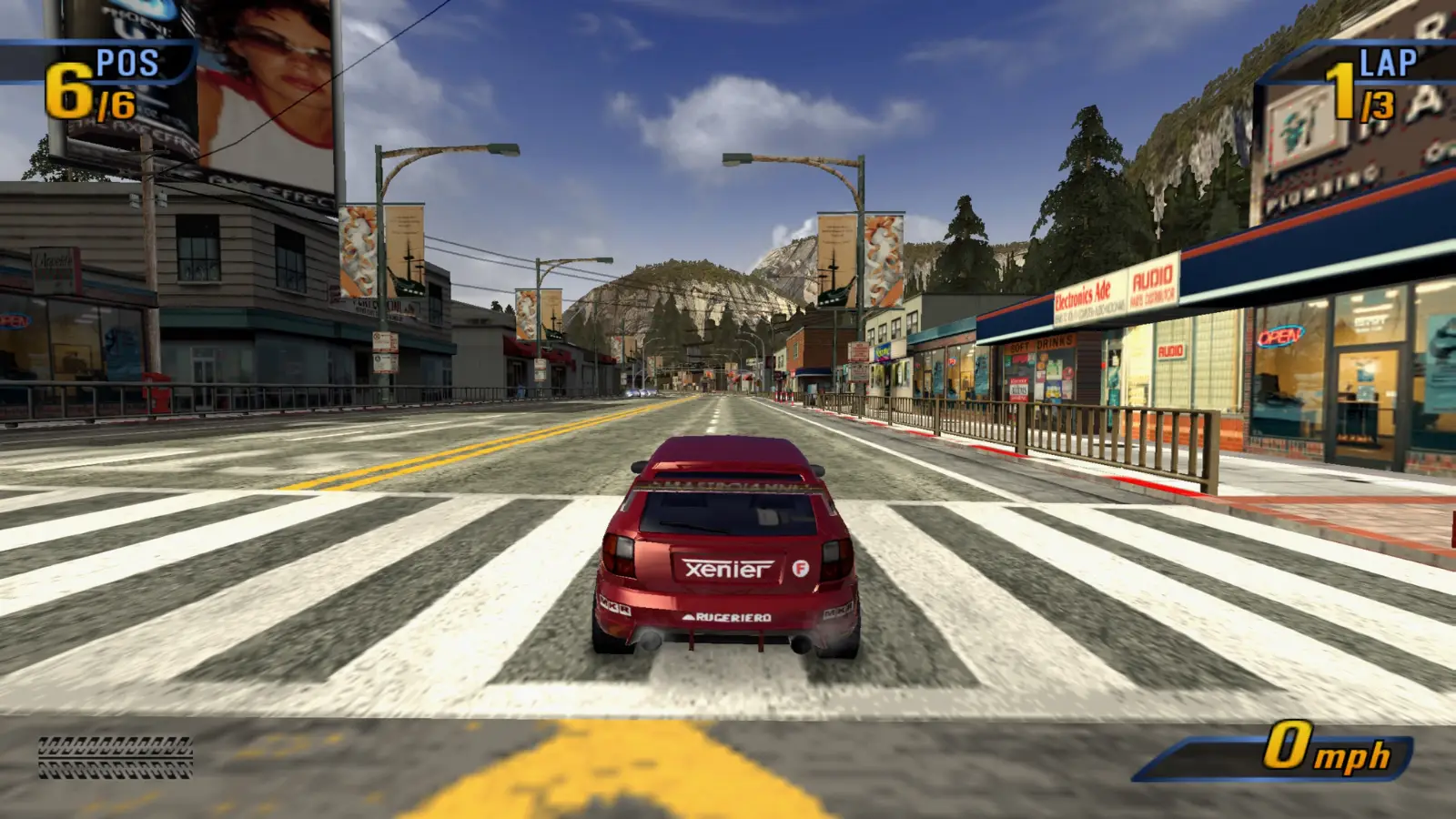
- Burnout Series: Those black skies in Burnout games are gone! We figured out the blending issue, so now Burnout 3, Revenge, and the rest have their proper blue skies back. No more midnight blues.
- Ratchet & Clank Series: The pesky pause menu and title screen backgrounds in R&C games are now fixed. Where once you only saw the corner of the menu, now the full background renders correctly. Pausing in style, at last.
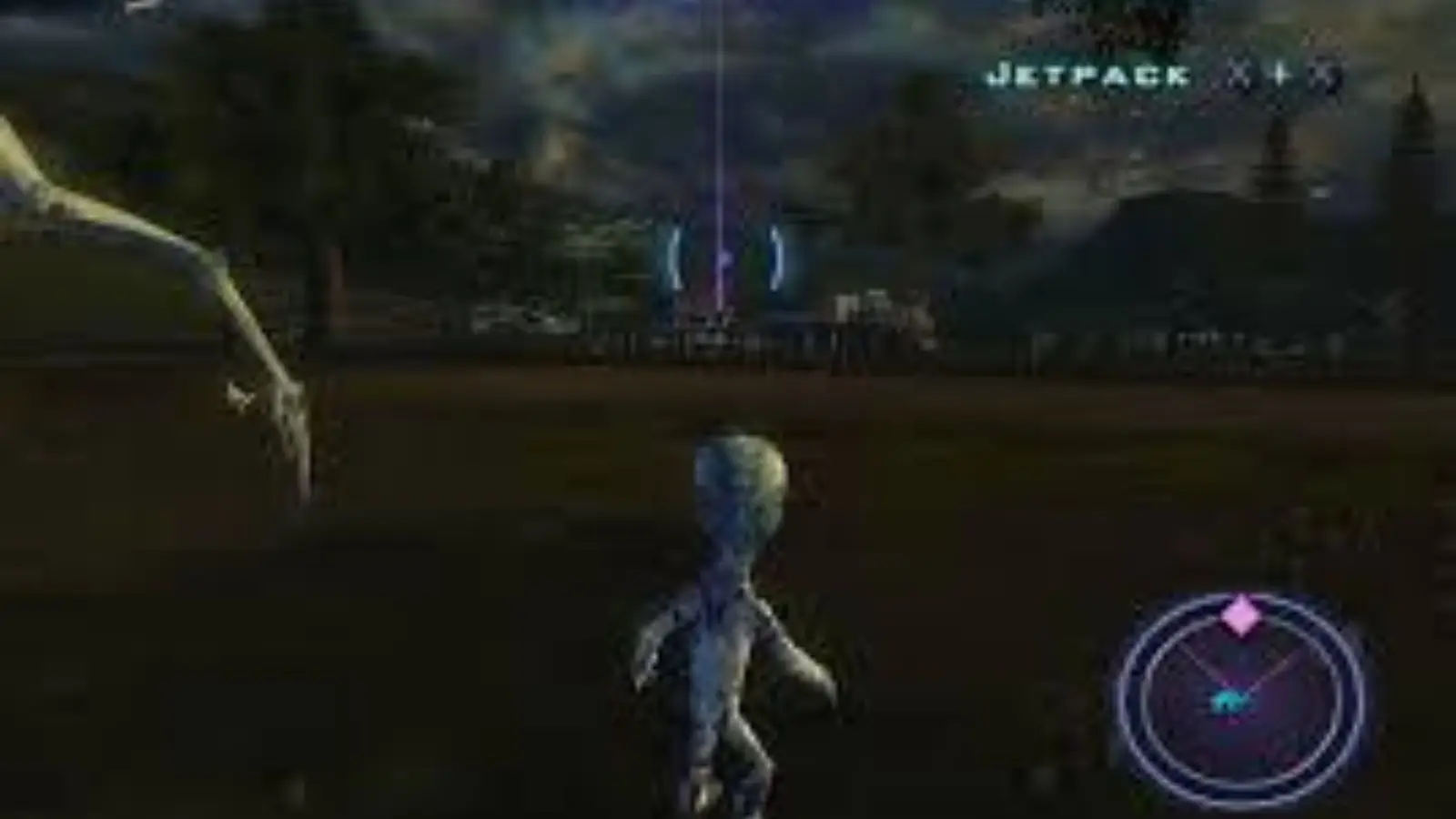
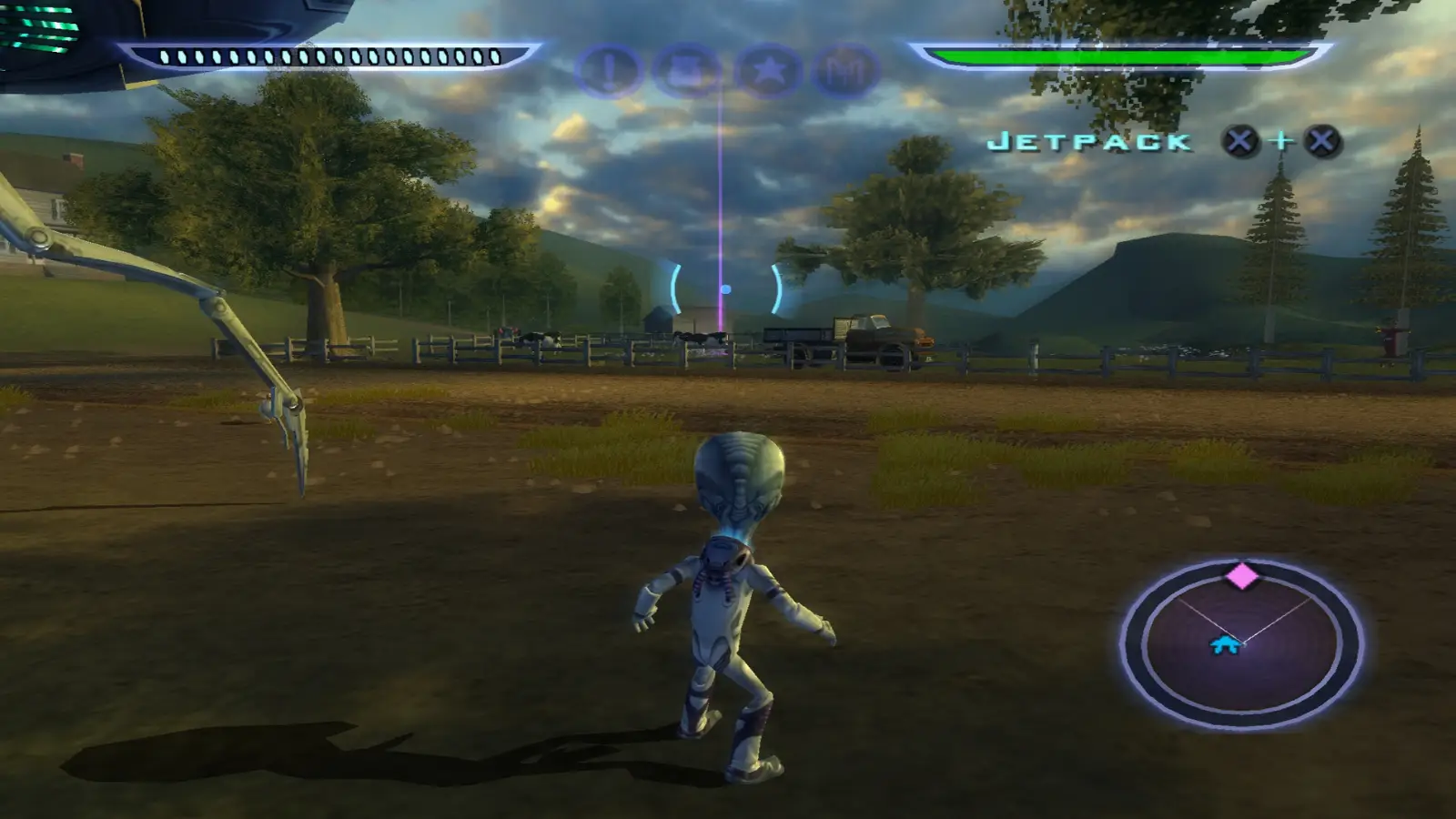
- Destroy All Humans: This one was a nightmare. We managed to fix the graphics enough that it no longer forces software rendering. The game is now actually playable in hardware mode! Some tiny quirks may remain, but Destroy All Humans is on its feet for the first time in PCSX2.
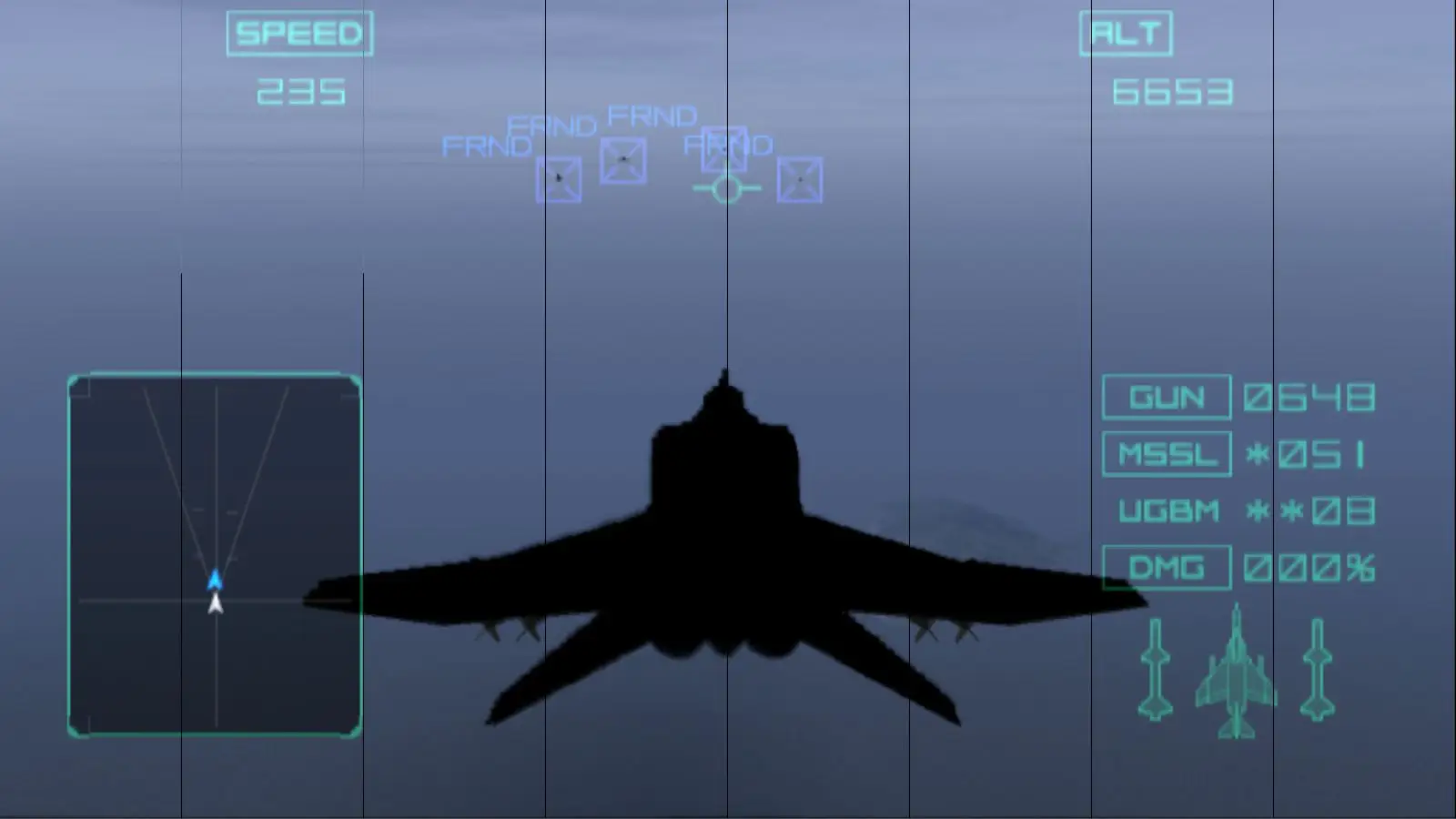
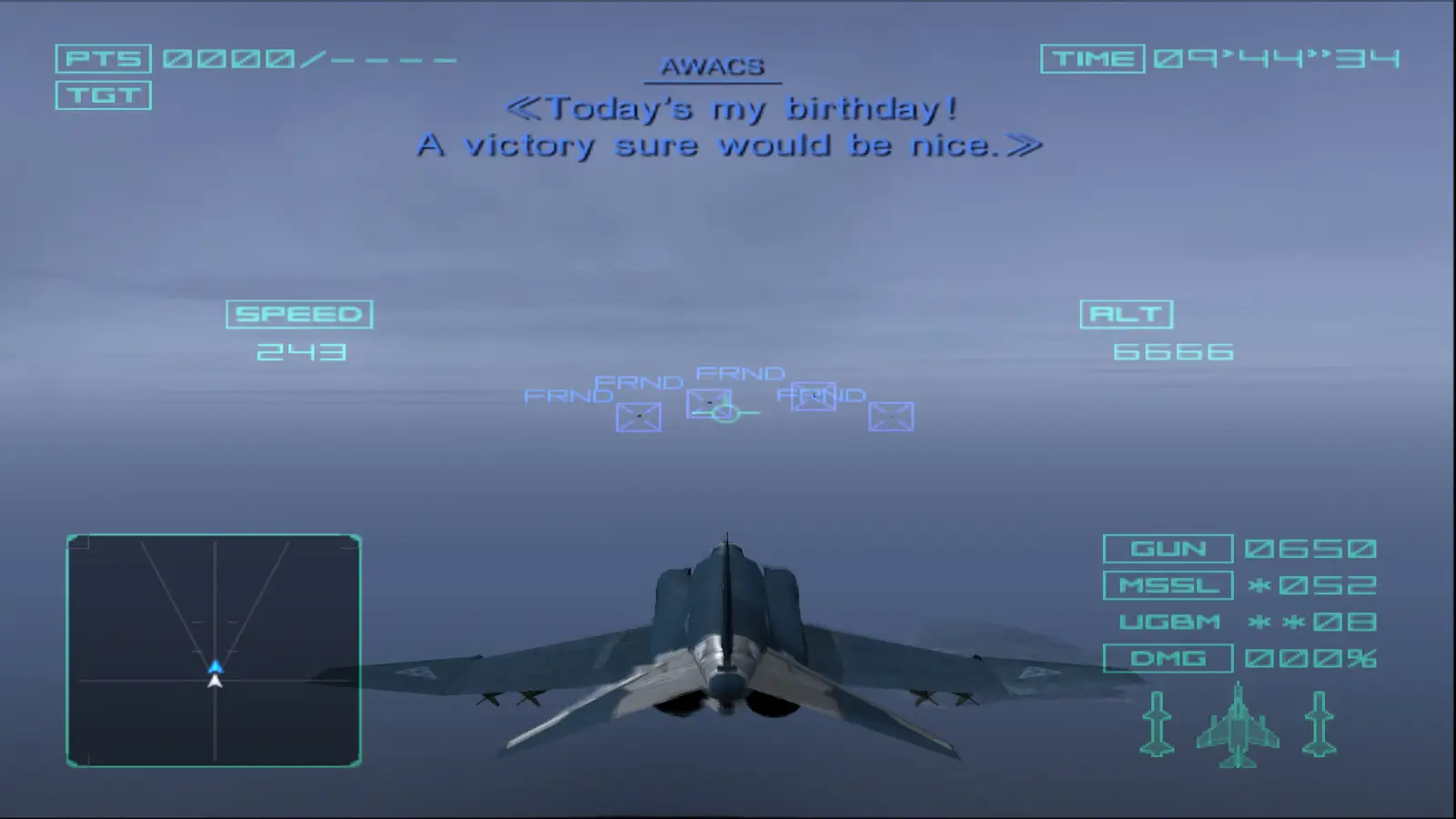
- Ace Combat Series: We squashed the black-plane and lighting bugs. Ace Combat 4/5/Z no longer need software mode – all hardware renderers work properly. The sky (literally) is the limit now.
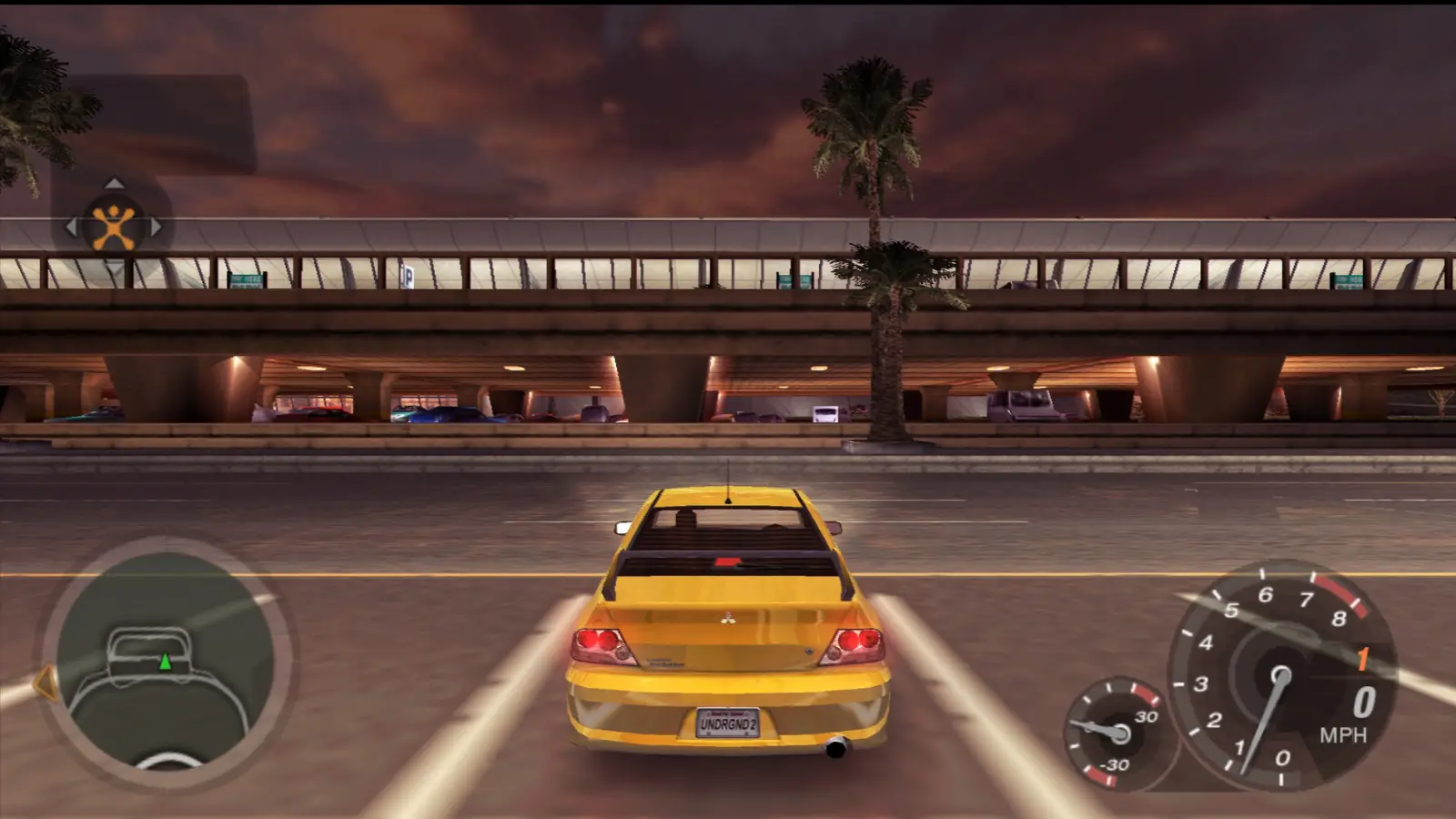
- Need for Speed Titles: Remember how NFS games used to crawl on PCSX2? Blending was the culprit. We optimised shadows, reflections, and effects so that NFS: Most Wanted and Underground II now run at full speed with full detail. Neon signs and car lights will look crisper without tanking the frame rate.
These fixes are the result of targeted community reports and a lot of detective work. It’s thrilling to finally see these beloved games running correctly on PC!
The Sound of Everything but Silence
Audio emulation got some love too, thanks largely to Ziemas’s work. We noticed minor sound issues could really break immersion, so we tackled them:
- Less Attack, More Sustain: We adjusted the SPU’s ADSR envelope handling. This makes sure that sampled sounds decay smoothly instead of hanging or cutting off abruptly. You’ll notice sequences end more naturally now, with no abrupt “cut-outs.”
- Fresh, Buttery Interpolation: PCSX2 has always offered multiple interpolation modes (nearest, linear, etc.) to trade CPU for sound quality. In modern times, power is plentiful, so we introduced a new Gaussian interpolation mode. It produces buttery-smooth audio waveforms with none of the artefacts (harsh peaks/valleys) of older methods. We validated it against real PS2 outputs: it matches the original console’s audio wave perfectly. (And yes, the volume levels are the same; it’s just way smoother.)
- Your Ears Can Relax Now: We discovered the old SPU plugins were outputting slightly too loud, often causing clipping. In PCSX2 2.0, we’ve calibrated the volume to more closely match a real PS2’s levels. Overall, games will sound a bit quieter, but pleasantly so – no more unintentionally blasting audio that clips.
Together, these tweaks mean your PS2 games will not only look better, but sound better too.
The New Era of Controller Mapping
Input handling was another area of fragmentation (Windows had one plugin, Linux another, macOS? nothing!). We cleaned it up:
- New Input Options: We now use SDL for input on Windows, Mac, and Linux. SDL supports most gamepads and keyboards out of the box. On Windows, we still offer XInput and DInput for compatibility with specialised devices. In practice, this means plug in your controller, and it usually just works.
- Introducing Automatic Mapping: Navigating controller configs can be annoying. So if you use SDL or XInput, we added a one-click solution: press “Auto-Map,” select your controller from the list, and PCSX2 automatically assigns all the buttons to the default PS2 layout. Two clicks, and you’re done!
This unified system replaces the old LilyPad/OnePad era and makes controller setup a breeze. USB gamepad, DualShock adapter, Xbox pad – they all work consistently now.


Achievement Unlocked!
Yes, you read that right. PCSX2 now supports RetroAchievements (RCheevos)! You can play pre-2004 PS2 games and earn community-crafted achievements, just like on retro emulators for NES/SNES/etc. The RCheevos community already has over 500 PS2 games supported. So if you’re into achievements hunting, PCSX2 2.0 will let you enable them for any supported game. It’s purely optional and completely integrated into the UI.
PINE Isn’t a Tree; It’s a Protocol!
One cool behind-the-scenes feature: we added the PINE protocol. This is a network interface (uses websockets) that lets external programs talk to PCSX2 in real time. Using PINE, a companion app can do things like:
- Read or write PS2 memory addresses while the game is running.
- Trigger save states (load/save) remotely.
- Control emulation (pause, resume, etc.).
Basically, PINE opens up PCSX2 to creative new tools. For example, the KAMI program uses it to bring native Windows mouse support to PS2 games. The door is wide open – if you want to build a real-time trainer, automation tool, or companion app for PCSX2, PINE is your gateway.
Debugging Just Got Less Buggy
We completely overhauled the PCSX2 debugger, giving developers and homebrew programmers a much richer toolset. The old wxWidgets debugger was basically abandoned — think “Old Yeller” — but thanks to fobes, we now have a modern Qt debugger with tons of new features:
- Multiple Register Views: You can open as many register windows as you like. See the EE, VU, and COP0 registers side by side.
- Enhanced Breakpoints: Set and manage hardware breakpoints, memory breakpoints, and conditional breakpoints with ease.
- Memory Search: Find values in RAM or EEPROM on the fly.
- IOP Symbol Support: Loading ELF/DLLs with debug symbols is now supported for the IOP (the PS2’s second CPU). This is a godsend for homebrew developers working on PS2 mods.
- Improved UI: It’s snappier and more feature-complete. You can even watch registers on the fly as the game runs.
In short, the PCSX2 debugger is now a genuinely useful tool, not a relic.
All Aboard the Compression Train
Game ISOs take up space, and so do saves. We upped our compression game:
- CHD Support: PCSX2 can now read CHD (Compressed Hunks of Data) images, similar to CSO for PS2 ISOs. CHD works for DVD ISOs and even CD games. This means you can compress your PS2 games (like you do for Dreamcast, for example) and save disk space without needing a separate CSO tool. Thanks to Refraction, we have easy Windows scripts to batch convert your ISOs to CHD (or back out again), and even convert between CHD and CSO formats.
- Introducing ZSO: If you use OPL (Open PS2 Loader) on real hardware, you might know ZSO. It’s an alternative to CSO/CHD that works on both PC and PS2. We’ve added ZSO support in PCSX2 as well. That means you can keep a single ZSO library and use it on PCSX2 and directly on your PS2 via OPL. Convenience!
These formats give you flexibility in how you store your games. CHD is great for high compression, ZSO for cross-platform use. Either way, PCSX2 can now handle them natively.
A Wild Automatic Updater Has Appeared!
Remember the days of manually downloading a zip, extracting it, and juggling saves and INIs? Those days are over. PCSX2 2.0 includes an automatic updater. Here’s how it works:
- PCSX2 will periodically check if a new release is available.
- If so, you get an in-app prompt. With one click, it downloads and installs the update.
- Your settings, save files, and memcards – nothing gets lost in the shuffle.
Updating PCSX2 is now as easy as using any modern app.
Looking Towards the Future
What a journey these last four years have been! We’ve hit a major milestone with PCSX2 2.0, but there’s always more to do. Huge thanks go out to our amazing community: the testers who spent countless hours finding bugs, the developers and contributors who wrote code, the translators who made PCSX2 accessible worldwide, the documentation writers, and everyone who helps keep the forums and Discord humming. You make this project what it is. If you ever need support or want to join the adventure, come chat with us on Discord or in the forums. We’re always excited to welcome new devs, artists, or fans into the fold. For now, fire up PCSX2 2.0, pick a PS2 game, and enjoy the ride. We can’t wait to see what you do with it next! Happy emulating!

1 thought on “PCSX2 2.0: A Powerful Upgrade Every Gamer Needs”
Pingback: PlayStation 5 Pro: Leaked Powerful Next-Gen Console 2026