
Dragon Ball Z: Extreme Butoden ROM (3DS) – Download & Complete Setup Guide
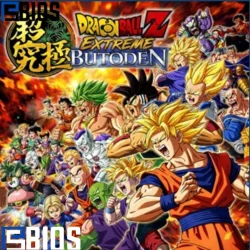
Game Information
Game Title: | Dragon Ball Z: Extreme Butoden |
Console: | Nintendo 3DS |
File Format: | .3DS / .CIA |
File Size: | 212 MB – 360 MB |
Region: | Europe (EU) |
Release Date: | October 20, 2015 |
Publisher: | Namco Bandai Games |
Genre: | Action / Fighting |
ESRB Rating: | Teen |
Emulator: | Citra (3DS Emulator) |
Dragon Ball Z: Extreme Butoden is a fast-paced 2D fighting game developed for the Nintendo 3DS. It delivers classic Dragon Ball action with quick battles, simple controls, and a surprisingly strategic combat system.
If you want to play this game on your PC or Android device using the Citra emulator, this guide will help you download, set up, and run the ROM smoothly without dealing with common issues like lag or black screens.
Overview of the Gameplay
Dragon Ball Z: Extreme Butoden focuses on 1v1 side-view battles that are easy to understand but still offer depth for skilled players. Unlike complex fighting games, it keeps mechanics simple while still rewarding timing, positioning, and smart decision-making.
You choose one main fighter and can bring assist characters into battle. These assists are not just visual effects—they play an important role in controlling the pace of the fight and creating opportunities for attack or defense.
The game is designed for quick matches, making it perfect for both casual play sessions and competitive gameplay.
Key Features of Extreme Butoden
This game stands out due to its balanced design and engaging mechanics:
- Fast and Smooth Combat: Battles are short but intense, allowing players to jump in and enjoy the action without long learning curves.
- 2D Fighting Experience: The side-scrolling combat style keeps everything clear and readable while still delivering explosive Dragon Ball-style attacks.
- Assist System: Players can call support characters during fights. Choosing the right assist at the right time can completely change the outcome of a match.
- Wide Character Selection: The game includes many popular Dragon Ball characters, each with unique moves and abilities.
- Beginner-Friendly Gameplay: Easy controls make it accessible, but mastering timing and strategy adds depth for experienced players.
Best Citra Emulator Settings
To enjoy smooth gameplay, it’s important to use optimized settings instead of pushing maximum graphics.
Recommended Configuration:
- Internal Resolution: Start with 2x resolution.
- Increase to 3x only if performance remains stable
- Hardware Shaders: Enabled
- Shader Cache: Enabled
- Graphics Backend: Try OpenGL or Vulkan, depending on your device
Pro Tip:
Once the game runs smoothly, avoid changing settings frequently. Constant adjustments can rebuild shaders and cause stuttering again.
Common Issues and Fixes
Even with a proper setup, some issues may appear. Here are the most common problems and how to fix them.
Stuttering or Lag During Gameplay
Sometimes the game may feel laggy even when the FPS appears stable.
Solution:
- Keep hardware shaders enabled
- Play a few matches to build the shader cache
- Avoid switching settings during gameplay
Black Screen on Startup
This is one of the most reported issues by users.
Fix:
- Update to the latest version of Citra
- Switch graphics backend (OpenGL ↔ Vulkan)
- Clear the shader cache and restart the emulator
Audio Issues or Slow Performance
If you notice audio cracking or slow gameplay:
Solution:
- Lower resolution to 2x
- Close background applications
- Make sure your device meets emulator requirements
Tips for Better Gameplay
If you want to improve your performance in battles, keep these tips in mind:
- Learn a few basic combos instead of random button mashing
- Use assist characters strategically, not randomly
- Focus on timing and defense
- Practice spacing to avoid unnecessary damage
Conclusion
Dragon Ball Z: Extreme Butoden is a simple yet highly enjoyable fighting game that works perfectly on emulators like Citra. Its lightweight design, fast-paced gameplay, and strategic assist system make it a great choice for both beginners and experienced players.
With the right settings and a little patience during the initial setup, you can enjoy a smooth and stable gaming experience on both PC and Android devices.