
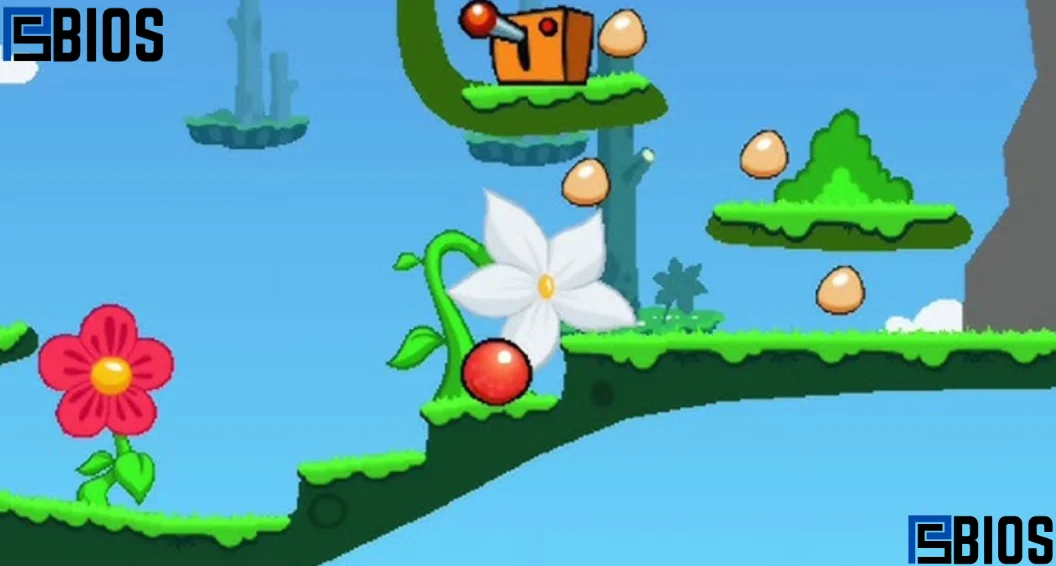
The J2ME Loader Emulator is an Android tool that lets you run old Java-based mobile games (J2ME games) on modern smartphones. It recreates the old Java mobile environment so classic .jar games can still work smoothly. It is lightweight, easy to install, supports thousands of retro games, and works offline. In simple terms, it brings old feature-phone gaming back to life on Android devices without needing special hardware or a complex setup.
What is the J2ME Loader Emulator?
The J2ME Loader Emulator is an Android application designed to run Java Micro Edition (Java ME / J2ME) applications and games. In earlier mobile phones, especially keypad phones, most games were built using Java ME technology. These games were packaged in .jar or .jad files and could run only on supported devices.
Since modern smartphones no longer support Java ME natively, the J2ME loader emulator creates a virtual Java environment inside Android. This allows users to open and play old mobile games without modifying them.
In simple terms, it acts like a bridge between old Java-based games and modern Android systems.
The J2ME loader emulator is widely appreciated because it is stable, fast, and does not require advanced configuration. It is especially useful for retro gaming fans who want to relive early mobile gaming experiences.
Why the J2ME Loader Emulator is Still Popular in 2026
Even though mobile gaming has evolved dramatically, the J2ME loader emulator remains highly relevant. Many users still enjoy old Java games due to nostalgia and simplicity.
One of the biggest reasons behind its popularity is that it preserves gaming history. Before Android and iOS dominated the market, Java ME games were the foundation of mobile entertainment. Games were small in size, easy to run, and widely available.
The J2ME loader emulator continues to be used because:
- It revives classic mobile games
- It works on almost all Android devices
- It is lightweight and does not drain the battery
- It supports offline gaming
- It requires no internet connection after setup
Many users who visit retro gaming resources like https://psbios.info/ often look for tools like the J2ME Loader emulator to explore classic gaming content.
Key Features of J2ME Loader Emulator
The J2ME loader emulator comes with several powerful features that make it one of the most reliable Java game emulators.
1. Wide Game Compatibility: It supports thousands of .jar and .jad files, allowing users to run a huge library of old games.
2. Smooth Performance: The J2ME loader emulator is optimized to run efficiently even on low-end smartphones.
3. Custom Control Mapping: Users can customize on-screen buttons or connect external controllers.
4. Save and Load Support: You can save progress anytime and resume later, just like modern gaming systems.
5. Display Customization: Screen scaling and resolution options improve visuals for different devices.
6. Offline Operation: Once installed, the J2ME-Loader Emulator does not require internet access.
7. Lightweight Design: It consumes very little storage and RAM, making it ideal for all devices.
How J2ME Loader Emulator Works
The J2ME loader emulator works by simulating a Java ME runtime environment. When a user loads a .jar file, the emulator translates Java instructions into Android-compatible operations.
It handles multiple processes such as:
- Java bytecode execution
- Graphics rendering
- Input control mapping
- Audio processing
- Memory allocation
This allows old mobile games to function exactly as they did on feature phones.
Because of this efficient system, the J2ME loader emulator ensures smooth gameplay without requiring modifications to the original game files.
What Was J2ME Used For?
Before smartphones became mainstream, J2ME (Java 2 Micro Edition) was widely used for mobile applications and games. It was designed for devices with limited processing power and memory, such as early Nokia, Sony Ericsson, and Samsung feature phones.
J2ME was used for:
- Mobile games (arcade, racing, action games)
- Simple business applications
- Utility apps like calculators and organizers
- Basic messaging tools
The J2ME loader emulator now preserves this legacy by allowing those old applications to run on modern Android devices.
What Replaced J2ME?
As mobile technology advanced, J2ME gradually became outdated. It was replaced by modern smartphone operating systems and development platforms.
The biggest replacement was:
- Android OS (for most smartphones)
- iOS (for Apple devices)
- Modern app frameworks like Kotlin, Swift, and Flutter
These new systems offered better graphics, performance, and hardware access compared to J2ME.
However, the J2ME loader emulator still plays an important role by keeping J2ME applications alive for retro gaming enthusiasts.
Is Java ME the Same as J2ME?
Java ME and J2ME are essentially the same thing. J2ME was the original name used earlier, which stood for Java 2 Micro Edition. Later, it was rebranded as Java ME.
So:
- J2ME = Older name
- Java ME = Updated name
Both refer to the same technology used for mobile development in feature phones. The J2ME loader emulator supports both under the same compatibility layer.
How to Emulate Java Games on Android
Running old Java games on Android is simple with the J2ME Loader emulator.
Here is how it works in practice:
First, users install the emulator on their Android device. After installation, they import .jar game files into the app. The emulator then loads the game and creates a virtual Java environment.
After loading:
- The game runs inside the emulator
- Controls are mapped to touchscreen buttons
- Graphics are rendered according to the device display
- Save states can be used anytime
The J2ME loader emulator makes the entire process beginner-friendly, requiring no coding or technical setup.
Is PojavLauncher Legal?
PojavLauncher is an Android application used to run Java Edition Minecraft on mobile devices. In general, it is considered legal because it does not distribute copyrighted game files. Instead, it acts as a launcher that requires users to own the original game.
However, legality depends on usage:
- Legal if you use your own Minecraft account
- Legal if no pirated game files are used
- Illegal if used to access unauthorized copies
Just like the J2ME loader emulator, it is a tool, and legality depends on how it is used rather than the tool itself.
How to Print 1 to 10 in Java
To understand basic Java programming (which is related to J2ME development), here is a simple example of printing numbers from 1 to 10:
This simple loop is often used in Java ME applications, which are supported by the J2ME-loader emulator when running older educational or utility apps.
What Was J++?
J++ was a programming language developed by Microsoft in the 1990s. It was based on Java but included Microsoft-specific extensions. It was designed to compete with Sun Microsystems’ Java platform.
However, J++ caused legal disputes because it deviated from Java standards. Eventually, Microsoft discontinued it and shifted focus to .NET and C#.
Although unrelated directly to gaming, understanding J++ helps explain how Java ecosystems evolved before technologies like J2ME and the J2ME loader emulator became popular for mobile gaming preservation.
Is a Game Emulator Illegal?
A common misunderstanding is whether emulators are illegal. In reality, emulators themselves are completely legal.
An emulator is simply software that mimics another system. The J2ME loader emulator is legal because it only replicates the Java ME environment.
However, legality depends on content usage:
- Legal: Running your own game files
- Legal: Using free or open-source games
- Illegal: Using pirated or copyrighted ROMs or games
So, the J2ME loader emulator is safe and legal when used correctly.
How to Install J2ME Loader Emulator on Android
Installing the J2ME loader emulator is simple:
Step 1: Download the App: Get the APK from a trusted source.
Step 2: Enable Permissions: Allow installation from unknown sources in settings.
Step 3: Install Emulator: Install the application on your device.
Step 4: Open the App: Launch the J2ME Loader emulator from your home screen.
Step 5: Add Game Files: Import .jar or .jad files from your storage.
How to Use J2ME Loader Emulator
Using the J2ME loader emulator is very easy:
- Open the emulator
- Select a game file
- Adjust settings if needed
- Start playing instantly
The interface is simple enough for beginners and does not require technical knowledge.
Best Games for J2ME Loader Emulator
Many classic titles work perfectly with the J2ME Loader emulator, including:
- Classic racing games
- Arcade action games
- Puzzle and strategy games
- Adventure mobile titles
- Early FPS mobile games
These games represent the golden era of mobile gaming.
Performance Optimization Tips
To improve performance on the J2ME loader emulator, follow these tips:
- Close background apps
- Use lightweight game files
- Adjust screen resolution
- Update to the latest version
- Avoid corrupted .jar files
Conclusion
The J2ME Loader Emulator is one of the best tools for preserving and enjoying classic Java mobile games on modern Android devices. It is lightweight, easy to use, and highly compatible with thousands of retro games.
It also plays an important role in digital preservation by keeping early mobile gaming history alive. Whether you are a nostalgic gamer or a curious beginner, the J2ME Loader emulator offers a simple way to experience old Java games in today’s modern smartphone era.
Frequently Asked Questions
1. What does the J2ME Loader Emulator actually do?
The J2ME loader emulator allows Android devices to run old Java-based mobile games and applications that were originally designed for feature phones. It creates a virtual Java environment inside Android, so .jar and .jad files can work smoothly without any modification.
2. Can I play all old Java games on it?
Most classic Java games run very well on the j2me loader emulator, especially popular arcade, racing, and puzzle titles. However, some highly modified or corrupted files may not work properly due to compatibility limitations in older game builds.
3. Do I need internet to use the J2ME Loader Emulator?
No, the j2me loader emulator works completely offline after installation. Once you load your games into the emulator, you can enjoy them anytime without needing an internet connection.
4. Is J2ME Loader Emulator safe to use on Android?
Yes, the j2me loader emulator is safe when downloaded from trusted sources. It does not harm your device and only acts as a runtime environment for Java games. However, users should always avoid downloading game files from untrusted websites.
