
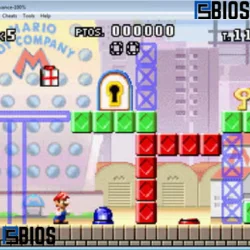
VisualBoyAdvance is a powerful, lightweight, and beginner-friendly emulator that allows you to play Game Boy, Game Boy Color, and Game Boy Advance games on modern devices. It remains one of the most popular choices in 2026 due to its simplicity, strong performance, and wide compatibility.
This guide covers everything you need to know—from downloading and installing VisualBoyAdvance to optimizing performance and understanding its legal aspects. It also compares it with other emulators, explains technical details like hardware and FPS, and answers common questions users search for online.
Whether you are using a low-end PC or a high-performance system, VisualBoyAdvance can deliver a smooth retro gaming experience.
What is VisualBoyAdvance?
VisualBoyAdvance is a free and open-source emulator designed to replicate the hardware of Nintendo’s classic handheld consoles. It allows users to run Game Boy, Game Boy Color, and Game Boy Advance games on computers.
- Emulation technology: It mimics the original console’s CPU, graphics, and sound system, allowing games to run as if they were on real hardware.
- Multi-console support: Unlike single-platform emulators, VisualBoyAdvance supports multiple Game Boy generations in a single application.
- Accessibility for all users: It is suitable for beginners due to its simple interface, while still offering advanced features for experienced users.
- Performance-focused design: The emulator is optimized to run smoothly even on low-end systems like PCs with 2GB or 4GB RAM.
The original Game Boy Advance used a 32-bit ARM7TDMI processor, which VisualBoyAdvance emulates efficiently, ensuring accurate gameplay.
Why VisualBoyAdvance is Still Popular in 2026
Despite newer emulators, VisualBoyAdvance continues to be widely used.
- Simplicity over complexity: Many modern emulators offer advanced features, but can be complicated. Remains easy to use.
- Reliable performance: It runs smoothly even on older systems, making it ideal for users with limited hardware.
- Wide compatibility: Most GBA games run without issues, including classics and fan-favorite titles.
- Low system requirements: Even a PC with 2GB RAM can run VisualBoyAdvance efficiently, making it one of the best options for low-end setups.
- Nostalgia factor: Retro gaming continues to grow, and VisualBoyAdvance provides a simple way to relive those experiences.
Key Features of VisualBoyAdvance
1. Save and Load States
- Save your progress instantly at any point in the game.
- Useful for difficult levels or long gameplay sessions.
- Eliminates the need to rely on in-game save systems.
2. Cheat Code Support
- Supports GameShark and CodeBreaker cheat systems.
- Allows unlocking hidden features, unlimited health, or rare items.
- Enhances gameplay for casual and experimental players.
3. Custom Controls
- Users can fully customize keyboard or controller inputs.
- Improves comfort and accessibility for different play styles.
- Supports external controllers for a console-like experience.
4. Fast, Forward Option
- Speeds up gameplay for grinding or repetitive sections.
- Ideal for RPG games that require time investment.
5. Screen Filters and Graphics Enhancements
- Improves the visual quality of pixel-based games.
- Smoothens edges and enhances resolution.
- Provides a better experience on modern displays.
How to Download VisualBoyAdvance
Downloading VisualBoyAdvance safely is important.
- Use trusted sources only: Download from official repositories or verified emulator websites to avoid malware.
- Check file authenticity: Ensure the file is not modified or bundled with unwanted software.
- Platform selection: Choose the correct version based on your operating system (Windows, macOS, Linux).
- File format: The emulator usually comes in a compressed ZIP file that needs extraction.
Many users searching for “where to download VisualBoyAdvance” should always prioritize safety over convenience.
How to Install VisualBoyAdvance
Installation is quick and simple.
- Extract the downloaded file: Use tools like WinRAR or built-in extractors.
- Open the executable file: Launch the emulator without needing installation.
- Portable software advantage: VisualBoyAdvance does not require a full installation process.
- Ready to use instantly: Once opened, you can start playing games immediately.
How to Play Games on VisualBoyAdvance
To use VisualBoyAdvance, you need ROM files.
- Load ROM files: Open the emulator and select your game file.
- Start gameplay instantly: No additional configuration is required.
- Control setup: Use keyboard or connect a controller.
- Game compatibility: Most GBA games work smoothly without issues.
However, users should ensure they legally own the original game before using ROMs.
Best Settings for VisualBoyAdvance
Optimizing settings improves performance and gameplay.
Graphics Settings
- Enable frame skip for smoother performance on low-end PCs.
- Use filters to improve visuals on high-resolution screens.
- Adjust screen scaling for better clarity.
Audio Settings
- Reduce audio lag by adjusting buffer size.
- Enable high-quality sound output for a better experience.
Performance Settings
- Disable unnecessary features for better speed.
- Use fast-forward carefully to avoid instability.
- Close background apps for smoother gameplay.
A system with 4GB RAM can easily run VisualBoyAdvance, while even 2GB systems can handle it with optimized settings.
Advantages of VisualBoyAdvance
- Free and open-source: No cost or hidden fees.
- Lightweight and fast: Works well on older computers.
- Wide compatibility: Supports most Game Boy and GBA games.
- User-friendly interface: Easy for beginners to understand.
- Customizable experience: Flexible settings for controls and graphics.
Disadvantages of VisualBoyAdvance
- Outdated interface design: Compared to modern emulators, it looks basic.
- Less accurate than newer emulators: Some emulators provide more precise hardware emulation.
- Occasional compatibility issues: Rare games may not run perfectly.
VisualBoyAdvance vs Other Emulators
VisualBoyAdvance vs mGBA
- VisualBoyAdvance is simpler and more beginner-friendly.
- mGBA is more accurate and actively updated.
- mGBA is considered one of the best modern GBA emulators for PC, especially for performance and accuracy.
VisualBoyAdvance vs RetroArch
- VisualBoyAdvance is standalone and easy to use.
- RetroArch is powerful but complex and requires setup.
Which emulator is No. 1?
There is no single “number one” emulator. It depends on needs:
- For simplicity → VisualBoyAdvance
- For accuracy → mGBA
- For multi-system support → RetroArch
Is VisualBoyAdvance Safe?
Yes, VisualBoyAdvance is safe when downloaded from trusted sources.
- Avoid unofficial websites.
- Scan files before opening.
- Use antivirus protection.
Legal Considerations
Understanding legality is important when using emulators.
- Itself is legal: It is simply software that emulates hardware.
- ROM usage rules: Downloading games you do not own may violate copyright laws.
- GBA emulators are not illegal: Emulation software is legal in most countries.
- Other emulators like PCSX2: Also legal, but game files must be owned legally.
- Apps like BlueStacks are legal as they emulate Android environments.
Always follow local laws and use legally obtained game copies.
Tips to Improve Gameplay Experience
- Use a USB controller for better control.
- Enable full-screen mode for immersion.
- Save progress frequently.
- Adjust filters for better visuals.
- Experiment with settings to match your system.
Common Issues and Fixes
Game Not Loading
Lag or Slow Performance
- Lower graphics settings.
- Close background applications.
No Sound Issue
- Check emulator audio settings.
- Update drivers if needed.
SEO Perspective: Why VisualBoyAdvance is a High-Value Keyword
- Strong search demand: Many users search for download guides and setup tutorials.
- Evergreen traffic: Retro gaming remains consistently popular.
- Monetization opportunities: Traffic can convert into services, ads, or affiliate links.
- Long-tail keyword potential: Variations like “VisualBoyAdvance download” or “best settings” rank easily.
AEO (Answer Engine Optimization) Strategy
- Provide direct and clear answers.
- Use structured headings.
- Keep paragraphs short and informative.
- Optimize for voice search queries.
AI SEO Optimization Tips
- Focus on natural language and user intent.
- Avoid keyword stuffing.
- Add helpful, human-like explanations.
- Use FAQs and structured content.
Frequently Asked Questions
Performance and Hardware
- The Game Boy Advance runs at around 60 frames per second and replicates this smoothly.
- Even low-end PCs with 2GB RAM can run the emulator efficiently.
Emulator Comparisons
- For FPS-based games on PC, emulators like PCSX2 or Dolphin perform better due to more powerful console support.
- VisualBoyAdvance is best suited for 2D handheld games.
Gaming and Console Insights
- The SNES is technically more powerful in some graphical aspects, but the GBA is more portable and efficient.
- Some GBA games may be modified or fake if downloaded from untrusted sources.
Historical and Technical Facts
- The first Game Boy emulator appeared in the late 1990s as PC hardware became capable.
- The original Game Boy cost around $89.99 in 1989.
General Gaming Questions
- Popular Android games change frequently, but titles like battle royale and open-world games often dominate rankings.
- Final Fantasy numbering differs between regions, which is why FF2 is sometimes actually FF4 in Japan.
Conclusion
VisualBoyAdvance continues to be one of the most reliable and accessible emulators available in 2026. Its lightweight design, ease of use, and strong compatibility make it a top choice for retro gaming enthusiasts.
While newer emulators offer advanced features, it remains unbeatable in simplicity and performance on low-end systems. Whether you are revisiting classic games or exploring them for the first time, this emulator delivers a smooth and enjoyable experience.
By following proper setup, optimization, and legal guidelines, users can get the best possible experience.
